
ComfyUI for everyone on your team
Share your ComfyUI workflows with links. Use ComfyUI instantly in the cloud or share a simplified UI. Deploy production APIs in one click and scale effortlessly, no engineering required.
- Install any custom nodes, any modelsShare multiple environments easily
- Powerful auto-scaling GPUsH100, A100, B200, H200, L40S, A10G, L4, T4
- Parallel cloud generationNo more queues for your whole team
- Full version historyWith every workflow update
- Collaboration made easyBuilt for sharing with your team
Trusted by teams at

 ComfyUI Workspace
Works once, works everywhere.
Open the same ComfyUI environment on dedicated GPUs, with models, nodes, and settings all set.
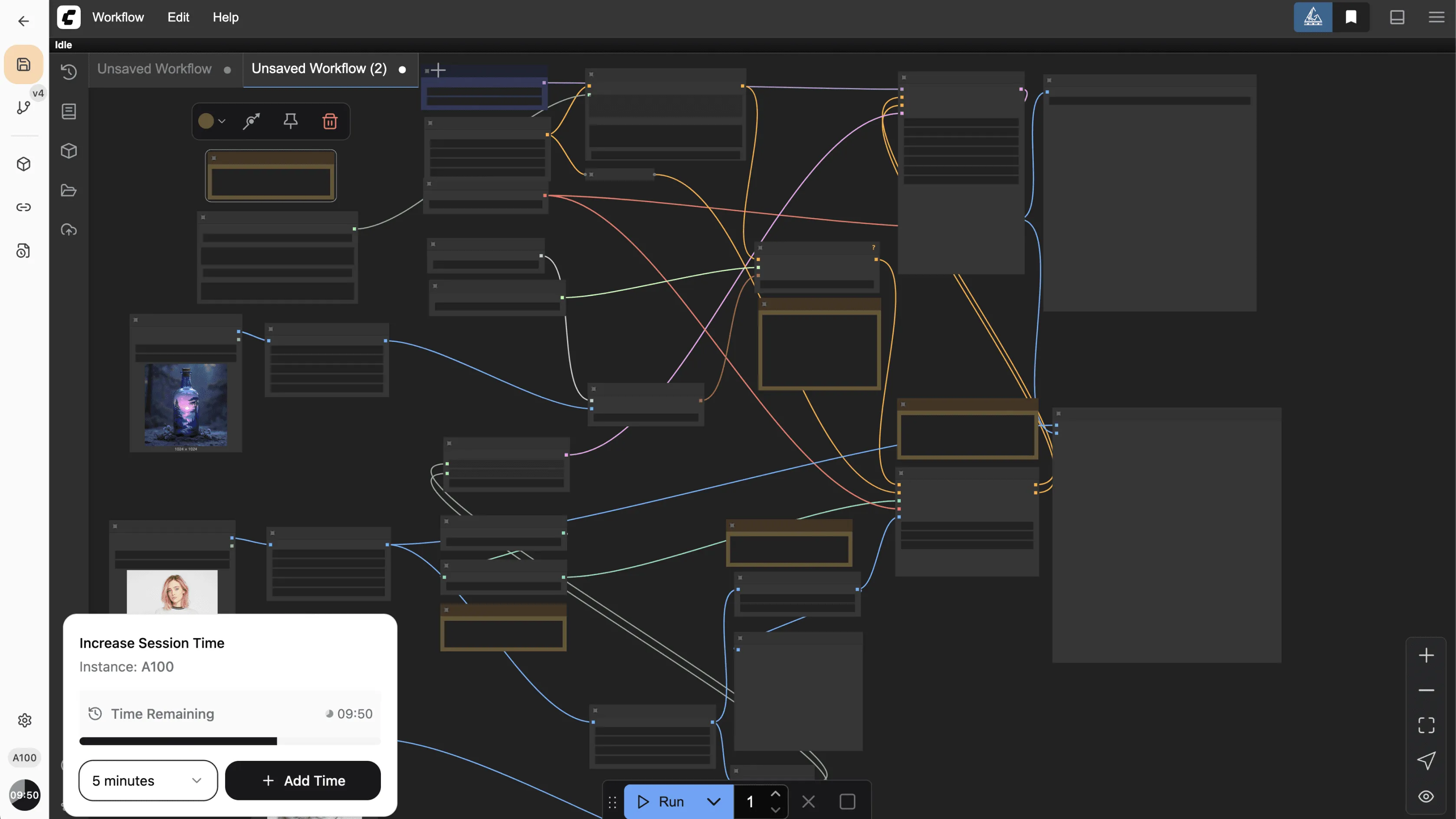
Full environment control
Install any custom node and model, and have it immediately available for your team.
Shareable workflows
If it works for you, it will work for them. Environment guaranteed.
Workflow versioning
Iterate safely with complete version history and one-click rollback.
Powerful GPUs, parallel execution
Give your team A100s and H100s. Generate at the same time with auto-scaling.
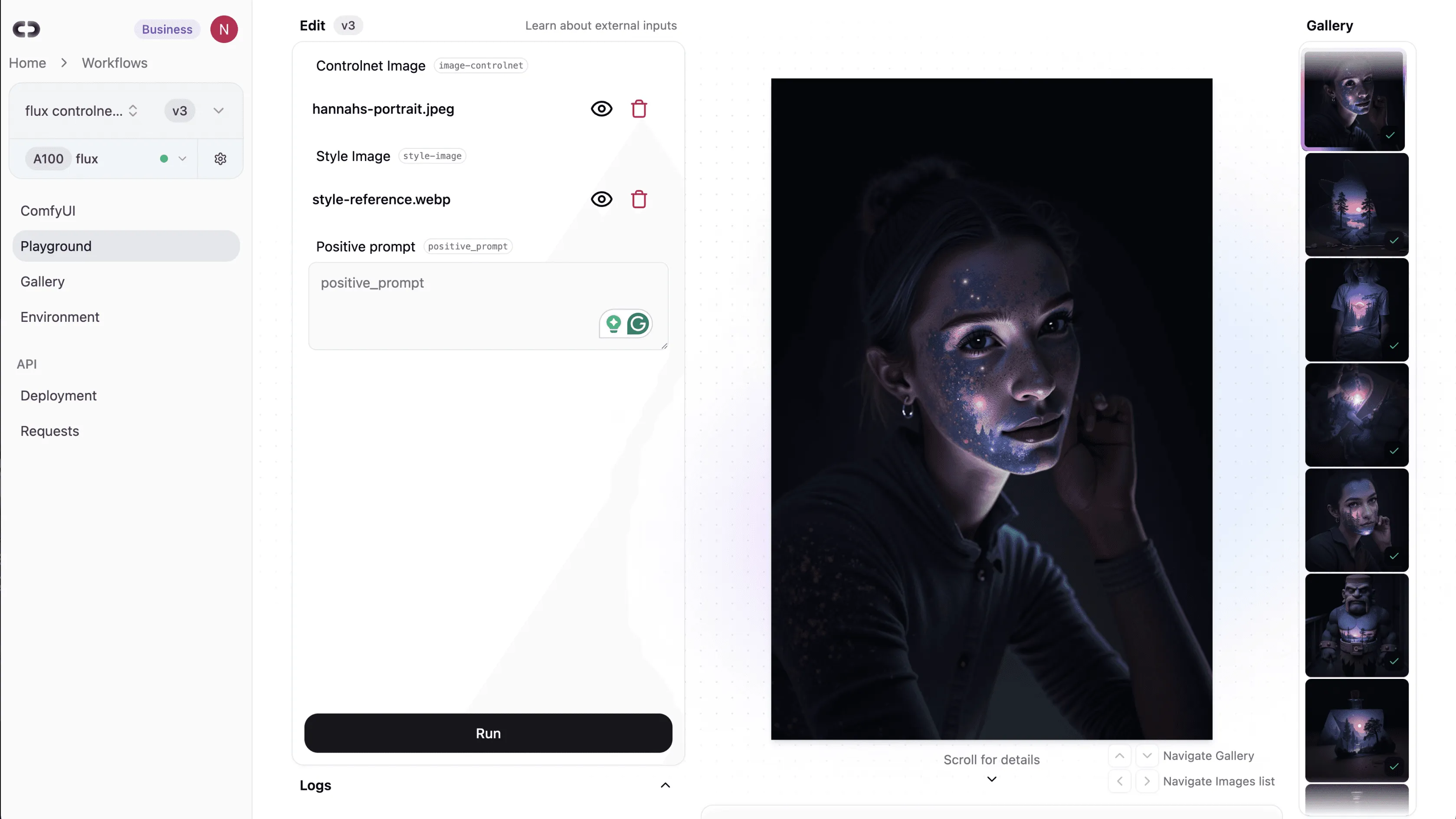
Playground
Complex workflows, simple interfaces.
Define inputs and outputs in your ComfyUI workflow and get a clean UI anyone can use.
Zero technical setup
Run complex workflows with the complexity hidden away.
Empower your creative team
Let artists and designers use your workflows without needing to know ComfyUI.
Product managers refine prompts
Test different text inputs to optimize results without touching nodes.
Simplified ComfyUI
Adjust what matters with sliders, text fields, and image uploads.
API
Workflow to production API in one click.
Build, deploy, and scale. Your ComfyUI graph becomes a versioned, auto-scaling endpoint.
// npm i @comfydeploy/sdk
import { ComfyDeploy } from "@comfydeploy/sdk";

const cd = new ComfyDeploy({
  apiKey: process.env.COMFYDEPLOY_API_KEY!,
});

// Trigger a run on your deployed workflow
const run = await cd.runs.create({
  deploymentId: "dep_123",
  inputs: { prompt: "cozy living room, warm light" },
});

// Wait for completion and grab the first image URL
const result = await cd.runs.wait(run.id);
console.log(result.outputs.images[0].url);
Auto-scaling GPU
GPU resources follow your traffic and scale to zero when idle.
Dev → Staging → Prod
Expose prompt fields, image uploads, or numerical parameters, and promote safely.
Private S3 integration
Upload real images to validate workflow performance.
Optimized cold starts
An extensive caching system minimizes startup latency.
Custom node API binding
ComfyDeploy External Input and Output nodes define your API interface.
Customer stories
How experts and teams ship with ComfyDeploy.
“ComfyDeploy is the perfect match for ComfyUI. Being able to seamlessly build workflows with all your favorite custom nodes, instantly deploy APIs, and even test them in the built-in playground is a dream. It’s supercharged my ability to not only test, but deploy meaningful products!”
 FillML Engineer, Mini Studio
“ComfyDeploy delivers rock-solid infrastructure for lightning-fast inference and fully customizable generative workflows, and their team of engineers is always on hand to troubleshoot, iterate, and optimize, empowering us to deliver high-quality, scalable solutions to our clients every time.”
 AllieCreative Tech, Silverside