Tutorial
Feb 1, 2025
Sometimes, when dealing with complex or niche workflows, you might not find the custom nodes you need to complete your task. In such cases, one option is to create your own custom nodes and store them in a private repository.
This issue can also occur if you already have a perfectly functioning workflow that relies on several custom nodes which take a long time to load initially—thereby increasing your cold start time and overall execution cost. To optimize performance, you can build custom nodes that include only the components you require and explore ways to enhance their efficiency.
No matter your situation, in this guide we'll show you how to integrate these private custom nodes into your machines using Comfy Deploy.
TLDR:
Create a Github Access Token
Add this custom command in your machine
Replace ACCESS_TOKEN
Replace REPO_NAME
Replace USER
Replace COMMIT_HASH
Create a Github Access Token
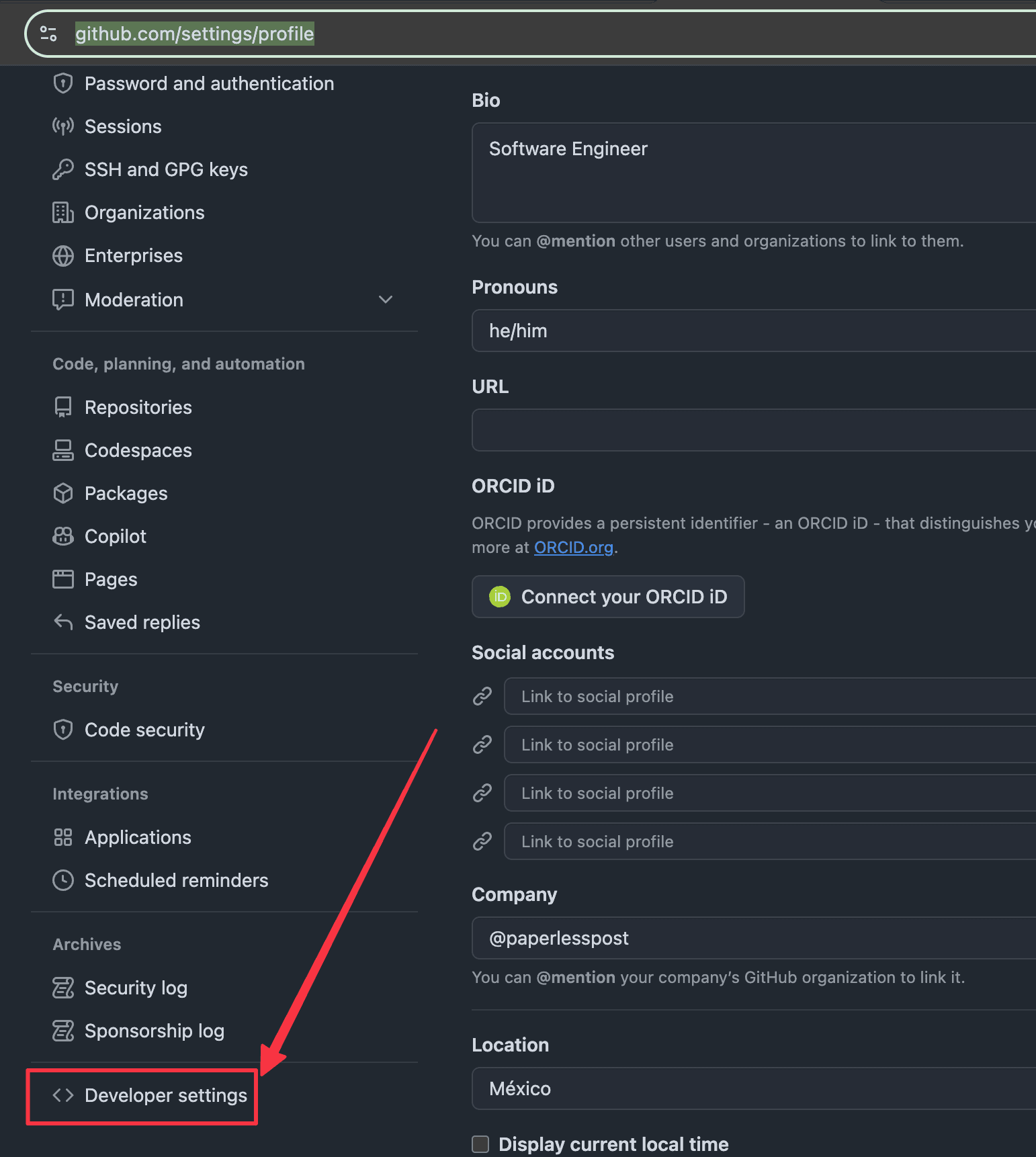
1. Go to your user settings and click in Developer Settings
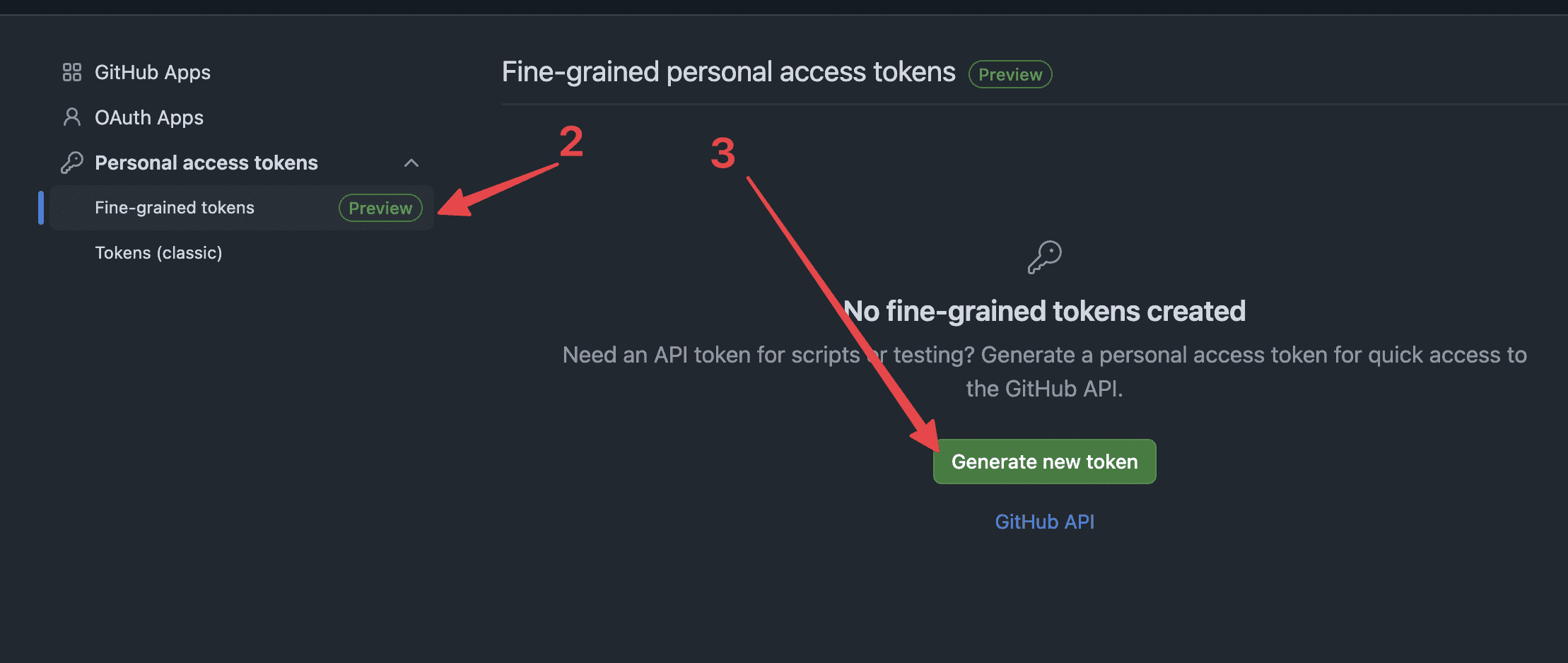
I'll recommend you to create a Fine-grained token, so you only give the necessary permits.
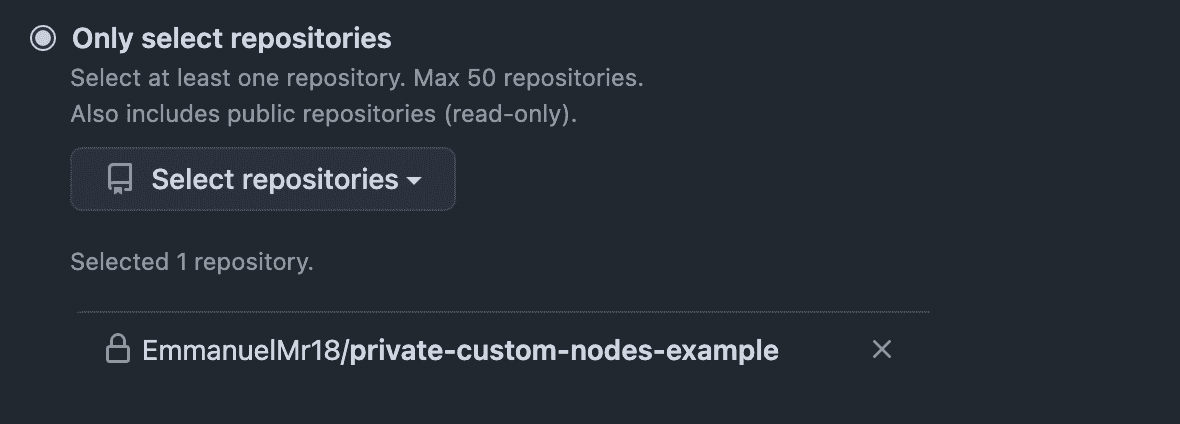
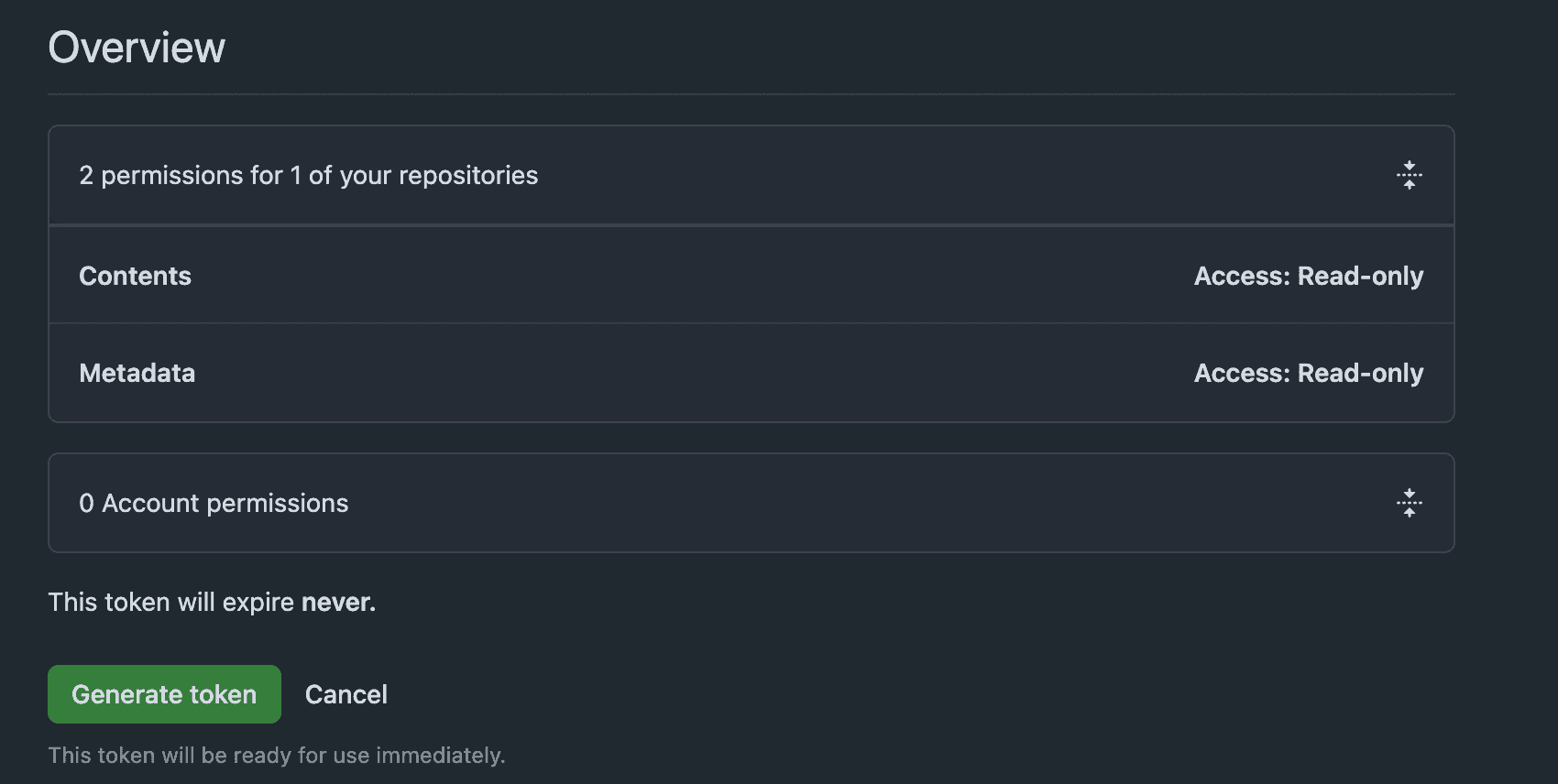
Since we are just giving grained access, we can create the token with not expiration date. Just make sure to select the correct repository and next permissions:
Contents = read-only
Metadata = read-only
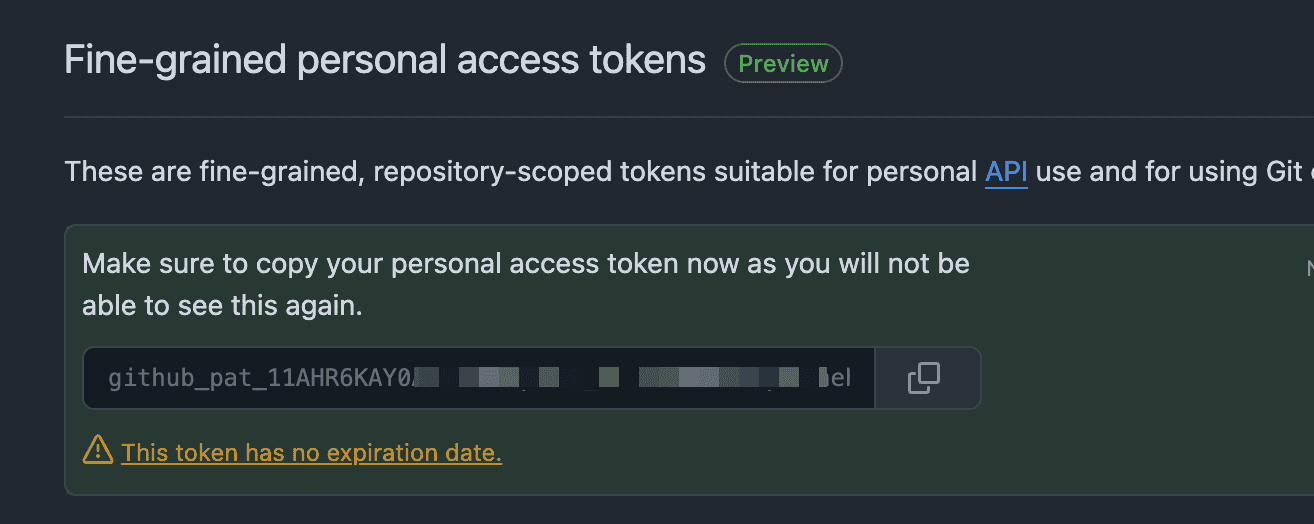
Now just copy your access token and save it, we'll use it in the next step
Add your private custom commands in your machine
Now that we have the access token and the private repository, we need to create a custom docker command on your machine.
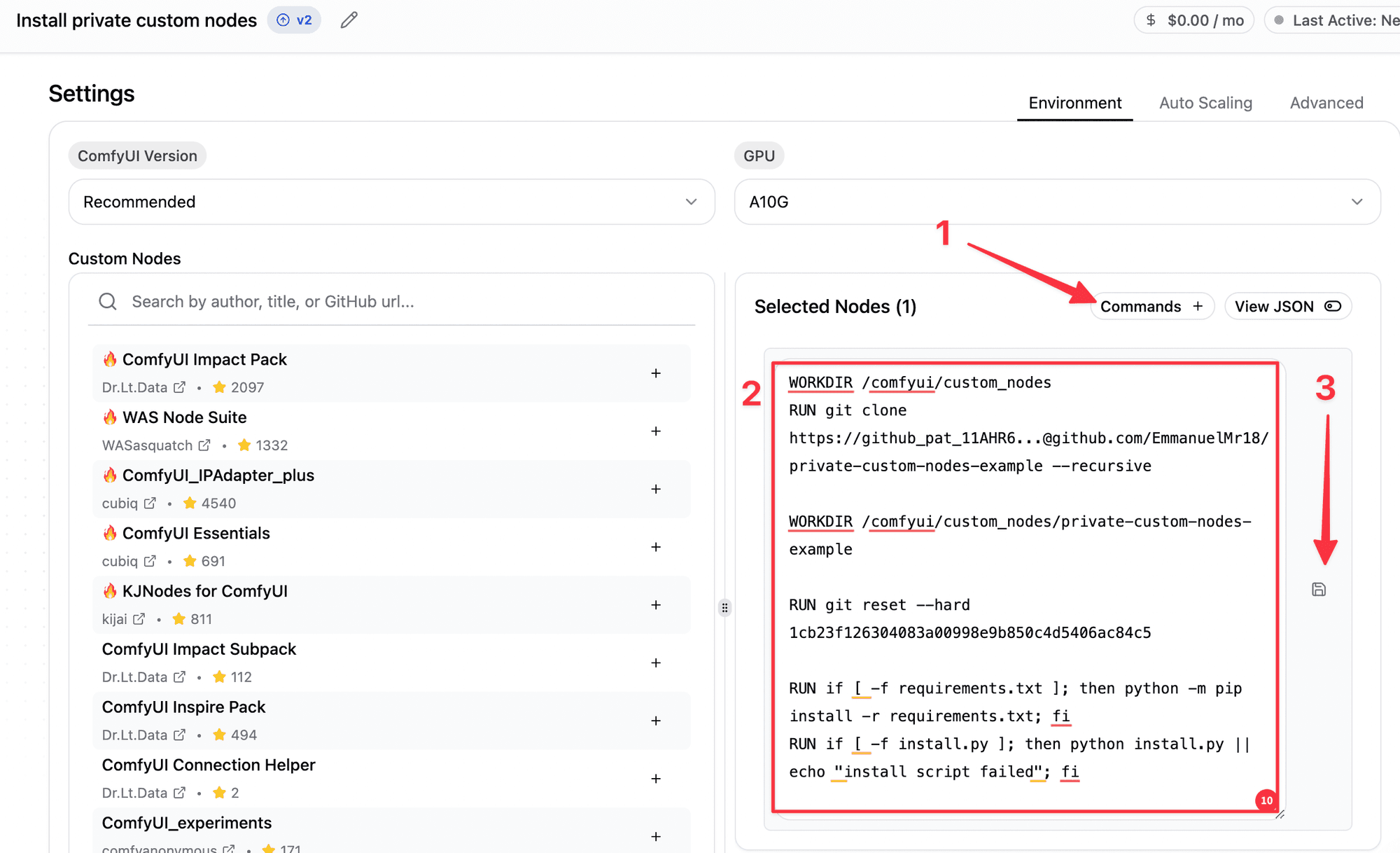
The custom docker command looks like the following:
Go to your machine and click in the Commands button, after doing this just copy and paste the commands that you have above, just make sure to replace ACCESS_TOKEN, REPO_NAME, USER, COMMIT_HASH with your values.
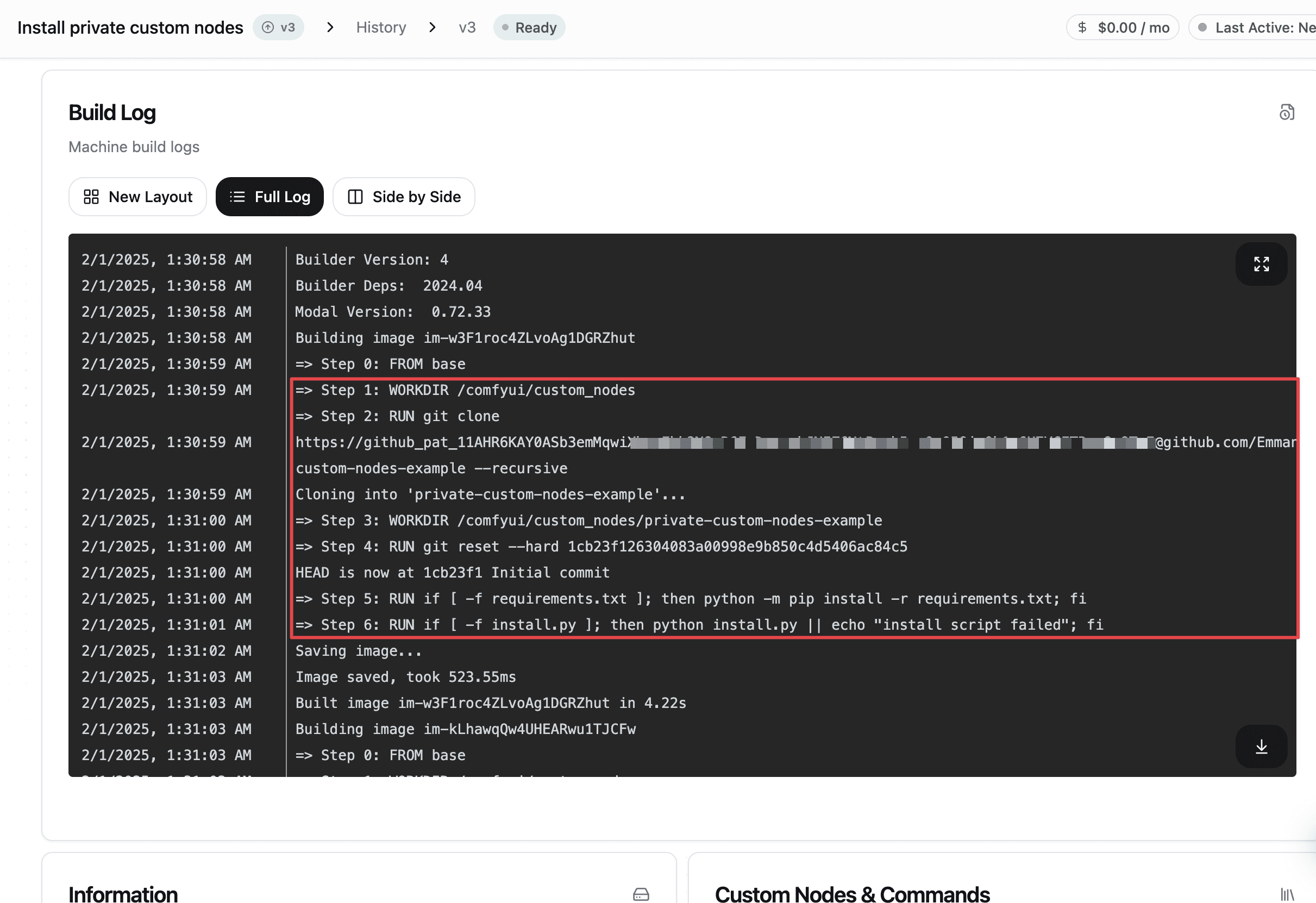
After building the building finish, we should be ready, and if you go to the full log section, you'll be able to see how the custom commands that we added are running correctly.
FAQ:
How to get the
COMMIT_HASH?
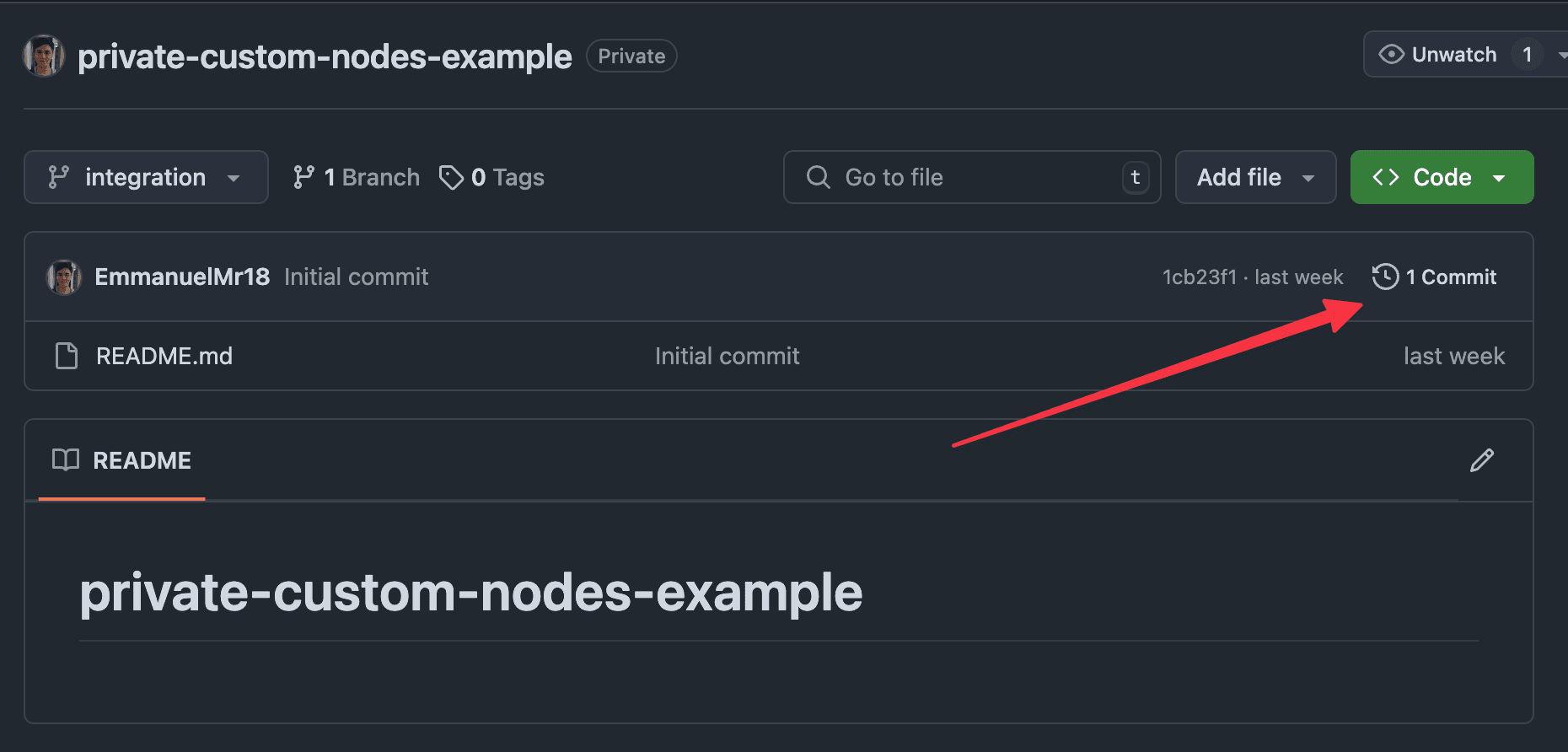
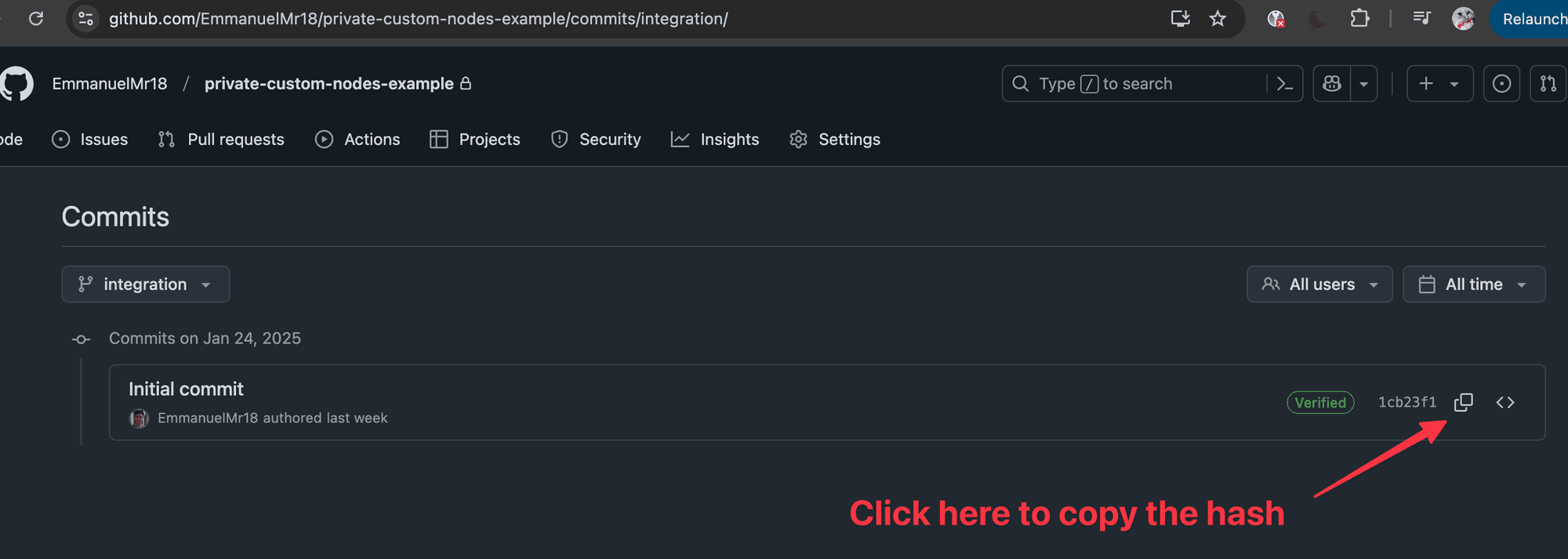
Just go to your repository, click on commits and copy the latest one (or the one that you know is the good one)
How to know what is the
REPO_NAMEandUSERvalues?
You can find this in the URL of your repository, in my case is https://github.com/EmmanuelMr18/private-custom-nodes-example , so the USER is EmmanuelMr18 and REPO_NAME is private-custom-nodes-example
" height="33.99999999999999px" id="u1jbcvYRv" transform="translate(9 7.5)" width="30px"/></svg>)