
A ComfyUI online workspace for your team
- Reproducible ComfyUI workflows for teams
- ComfyUI version control with rollback
- Share ComfyUI workflows without errors
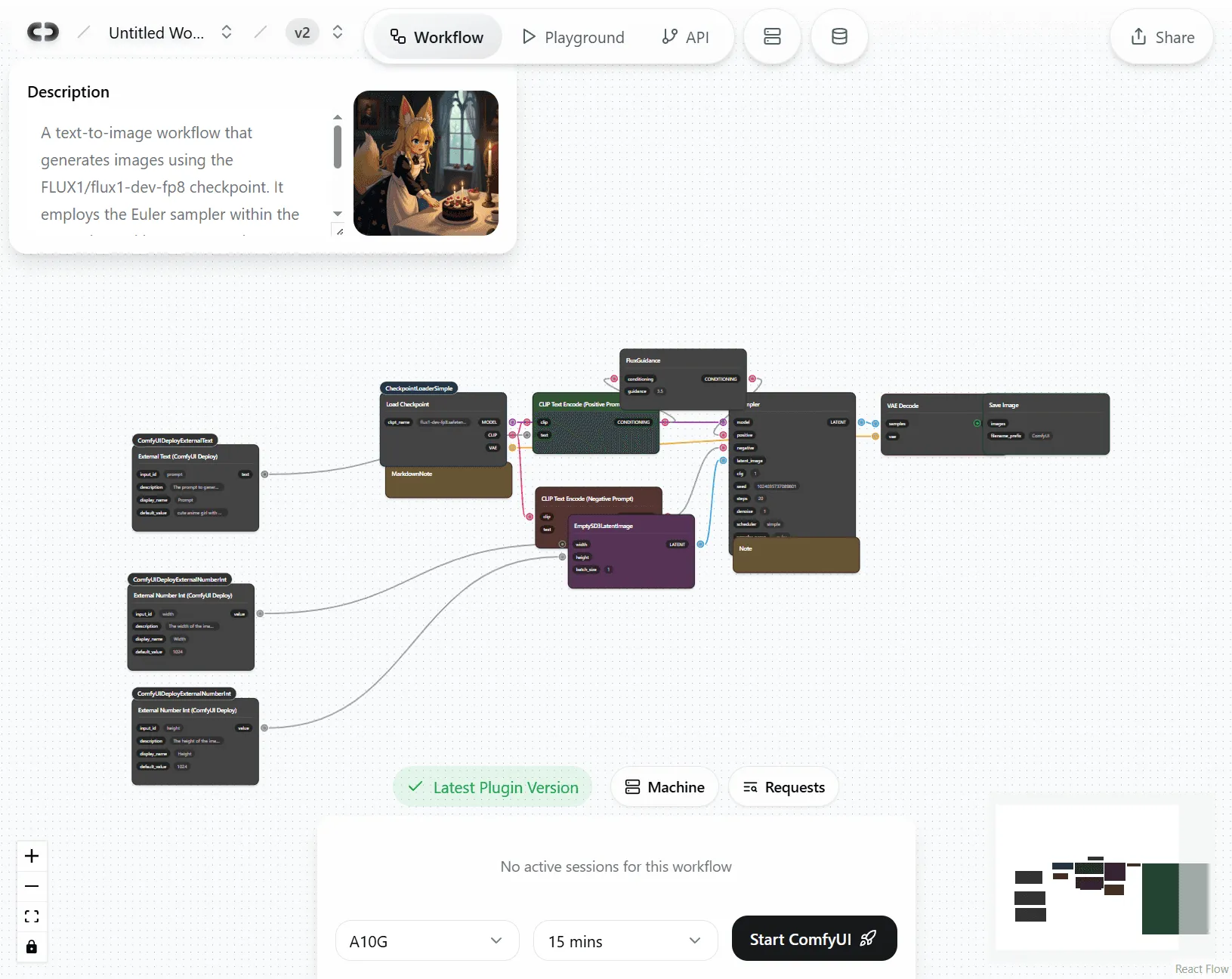
ComfyUI is powerful, but not built for collaboration.
The moment you share a workflow, things break. Mismatched nodes, missing models, and environment drift aren’t just annoyances. They’re a real cost to your team.
⚠ Node types not found
Even when custom nodes are installed
- IPAdapterAdvanced
- ControlNetApplyAdvanced
- VHS_LoadVideo
ComfyUI Workspace
Same workflow. Same nodes. Same models. Zero setup.
Launch ComfyUI in your browser on managed GPUs. Versions, plugins, and models are pinned by a workspace template, so every teammate gets the exact same setup, with no installs and no drift.
High-VRAM serverless GPU power
Never worry about hardware limits again.
Cloud-based ComfyUI
The full ComfyUI interface from any device, with no local install or GPU required.
Fast cold starts, always-warm option
Quick startup, with an optional zero-latency mode for instant generation.
Parallel sessions on demand
Multiple teammates work at the same time without waiting in queues.
High-VRAM tiers (H100, A100, L40S)
Run memory-hungry workflows that crash on local machines.
Full custom node and model support
The entire ComfyUI ecosystem at your fingertips.
Org-wide model cache
Upload or download a model once and it’s instantly available to your whole organization. No duplicate downloads.
Install any custom nodes
Use the full ecosystem of community extensions without conflicts or manual setup.
Pin exact versions
Lock every dependency to its exact version and end the “dependency hell” that breaks workflows.
Preloaded popular models
Pull models directly from Hugging Face or Civitai, with token support for gated content.
Smooth team collaboration
“Works on my machine” becomes “works everywhere.”
Identical setup for everyone
Share workflows knowing they’ll run exactly the same for everyone on your team.
One-click rollback
Experiment freely and instantly revert to any previous working state when an update breaks.
Instant workflow sharing
Send a link instead of files and dependencies. Everything loads preconfigured.
Role-based permissions
Control who can edit workflows and who can only run them in the simplified Playground.
How it works
From local workflow to team collaboration
1Choose or create your ComfyUI setup
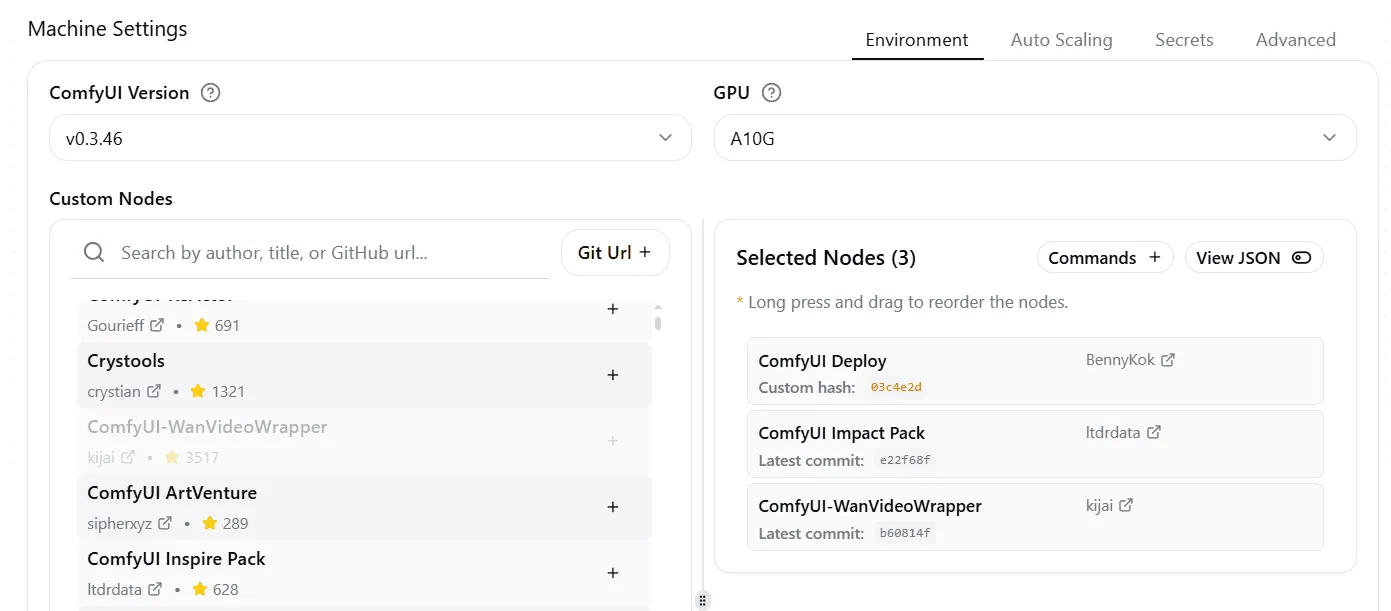
Select custom nodes
Pick a ComfyUI version, then add custom nodes from the community list or any Git URL. Every dependency is version-locked, so your team gets a reproducible runtime.
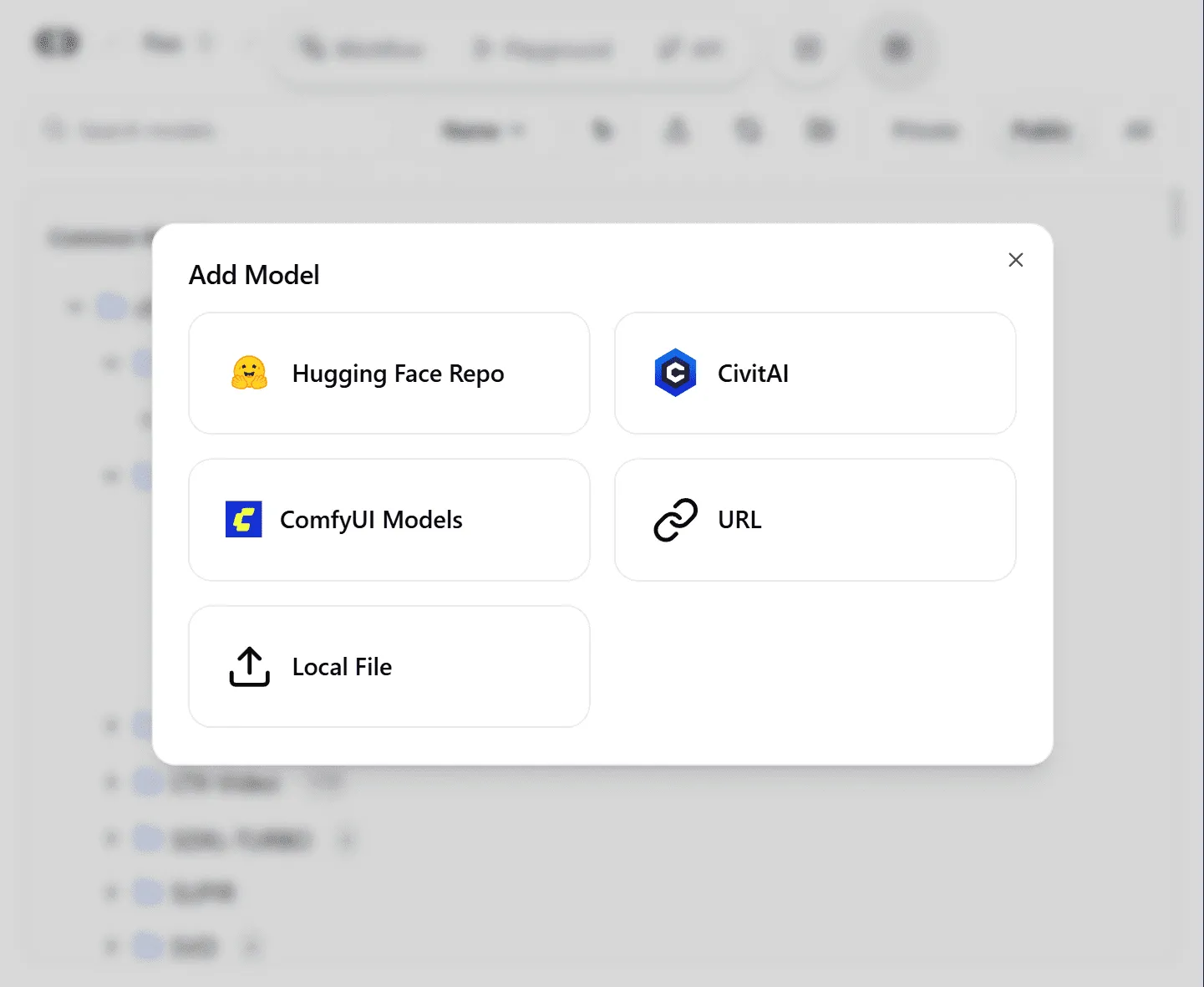
Upload your assets
Upload models, LoRAs, and files to a shared team workspace. Sync straight from Hugging Face, Civitai, a URL, or your local machine.
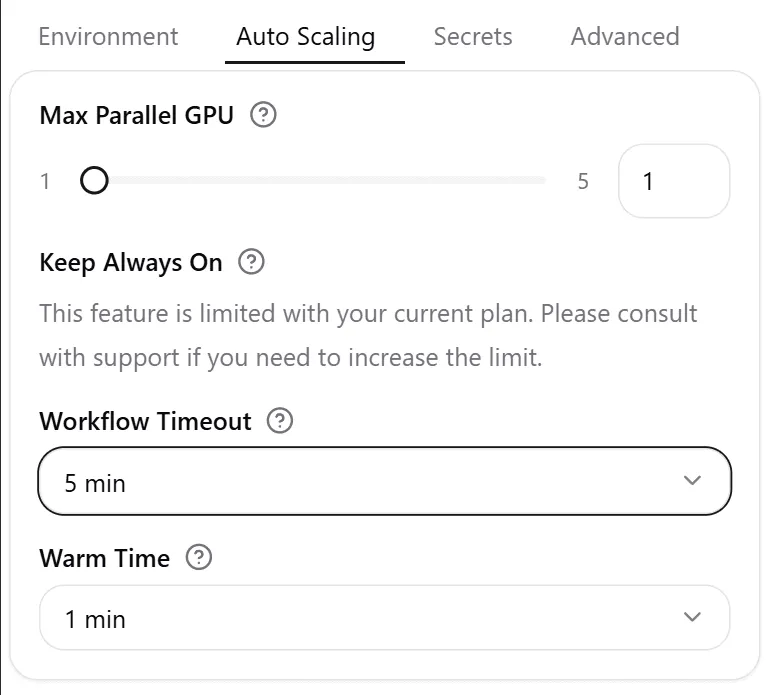
Select a GPU and deploy
Choose a dedicated GPU like an A100 or H100, or enable auto-scaling. Set workflow timeout, warm time, and max parallel GPUs, then launch.
2Create or upload your workflow
Start fresh in ComfyDeploy
- Instant launch. A new ComfyUI environment, ready in your browser.
- Full node access. The complete editor with any custom nodes you need.
- Pro hardware. Build on A100 and H100 GPUs from day one.
Migrate your existing ComfyUI workflow
- Quick integration. Add ComfyDeploy nodes to your local ComfyUI.
- One-click deploy. Push workflows straight to our cloud platform.
- Perfect replication. Models, nodes, and settings transfer intact.
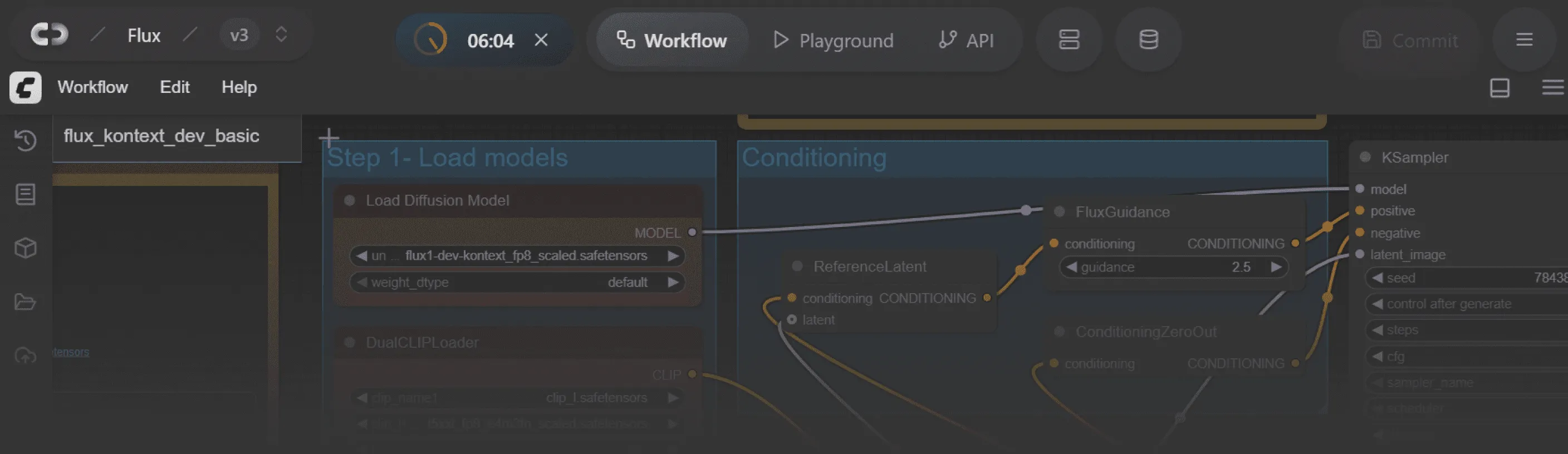
3Share the link for instant team access
For ComfyUI experts
Online ComfyUI workspace
Send the workspace link. Teammates open the identical ComfyUI editor with models and nodes preloaded, with zero local setup. Every run is logged with inputs, outputs, latency, and cost for later review.
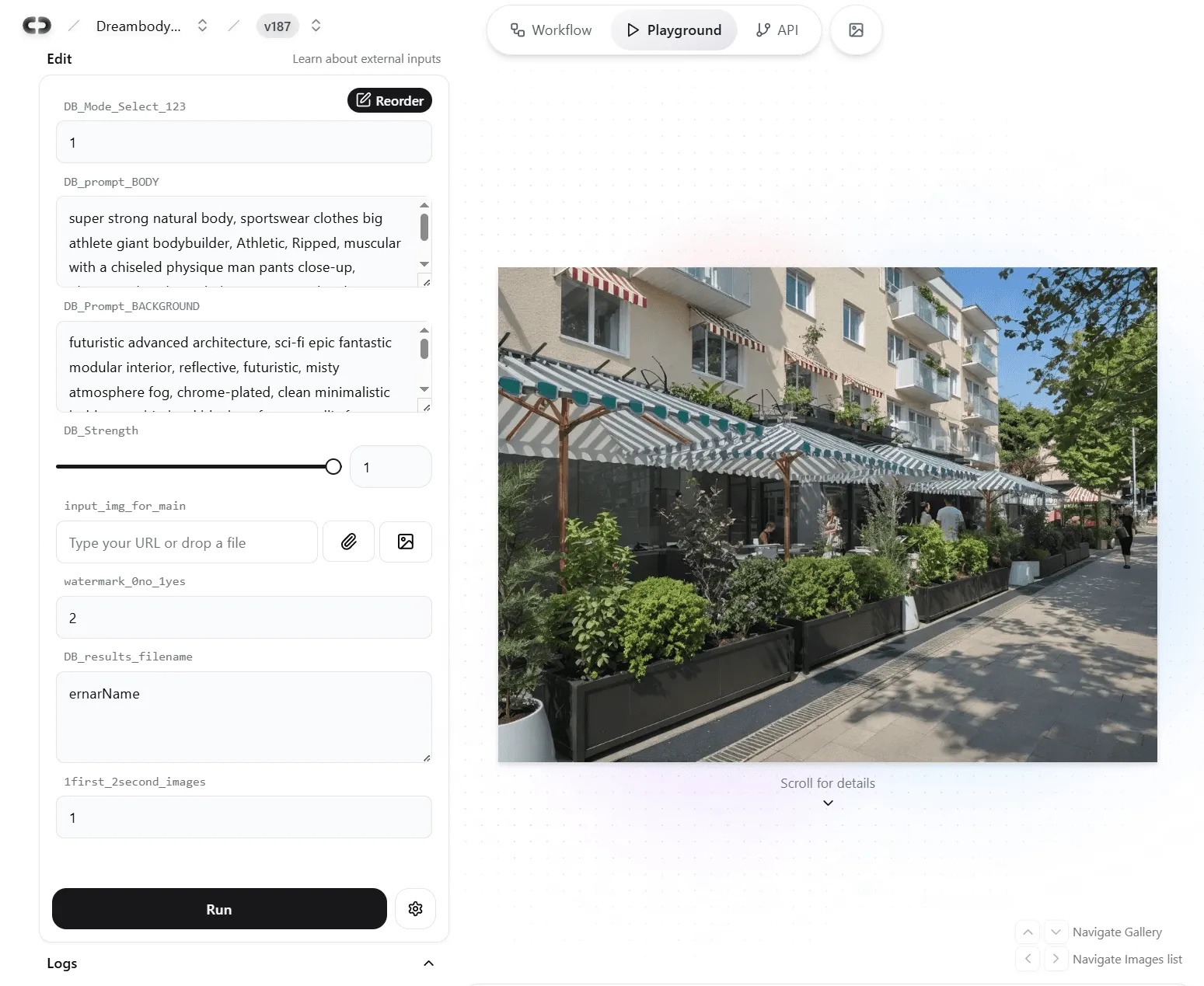
For designers, PMs and clients
Simplified ComfyUI Playground
A simple form with sliders and inputs, built for non-technical users. Each ComfyUI input becomes the right control (slider, text box, dropdown, file upload), so anyone can run the workflow without touching nodes.
No queues, no waiting: parallel generations
Each session gets a dedicated GPU instance, so cloud generation runs in parallel. ComfyUI experts tweak advanced nodes while designers fire prompts at the same time, all within the same version-controlled workflow.
Frequently asked questions
How do you stop “Node types not found” and environment drift?
Workspaces pin custom nodes, Python dependencies, and model paths into a template. Teammates launch identical environments, so shared JSON and PNG workflows just open and run.
Can multiple teammates run the same workflow at the same time?
Yes. Runs execute in parallel, with org-level quotas so your team never bottlenecks on an internal queue.
How are models and assets stored? Can we use our own bucket?
Use org storage with caching, or point ComfyDeploy at your private S3 or S3-compatible bucket.
Can we run on-prem or hybrid, and how hard is migrating from local?
Hybrid and on-prem runners are supported. Migration is three steps: import your JSON or PNG, attach models, and save a template.
Will my local ComfyUI JSON or PNG run as-is?
Import the workflow, attach models once, and save it as a team template. Everyone gets the same behavior.