
Simple AI apps your whole team can use
- A simple ComfyUI UI for designers and PMs
- Inputs auto-generated from nodes to controls
- Share ComfyUI apps securely with SSO and RBAC
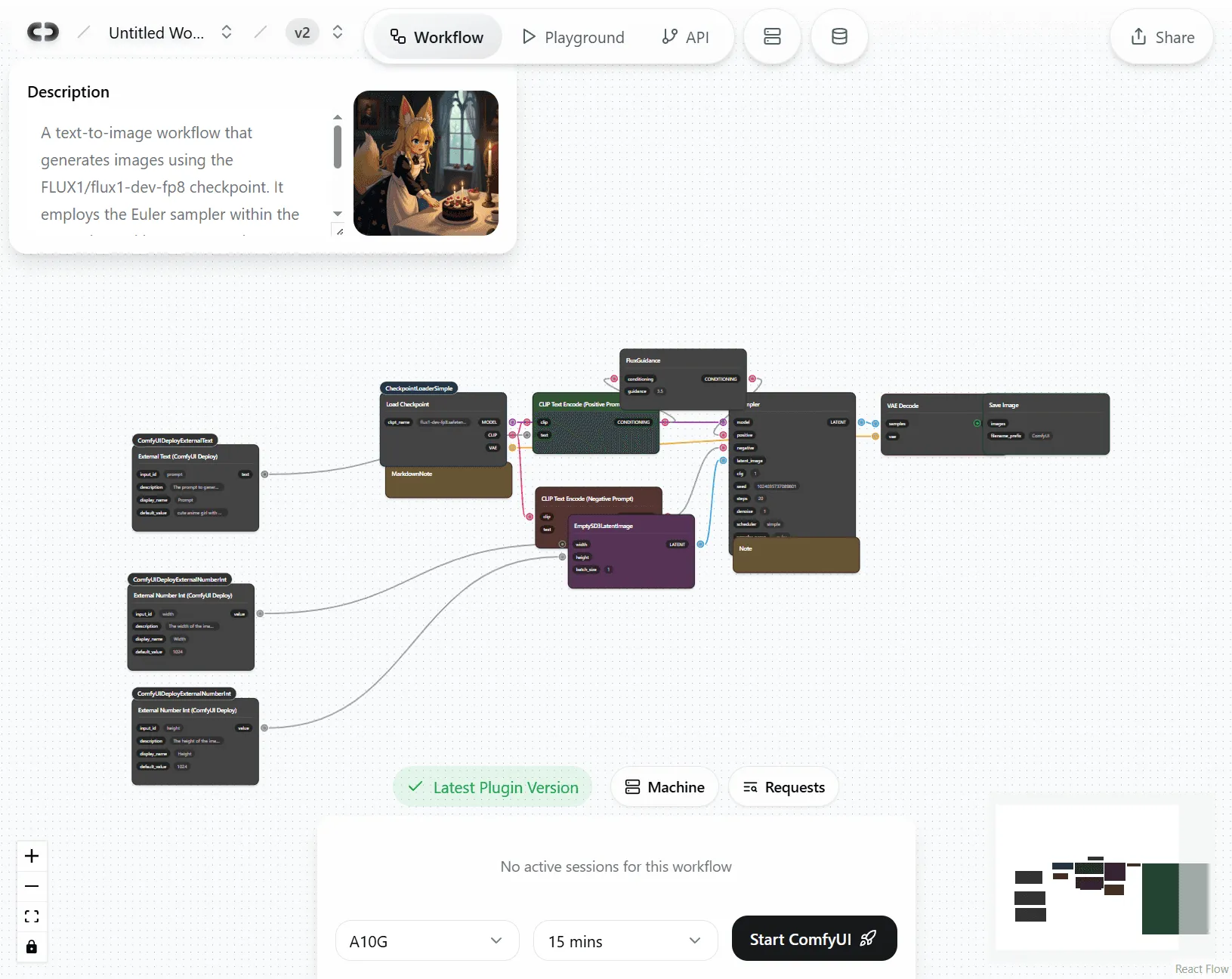
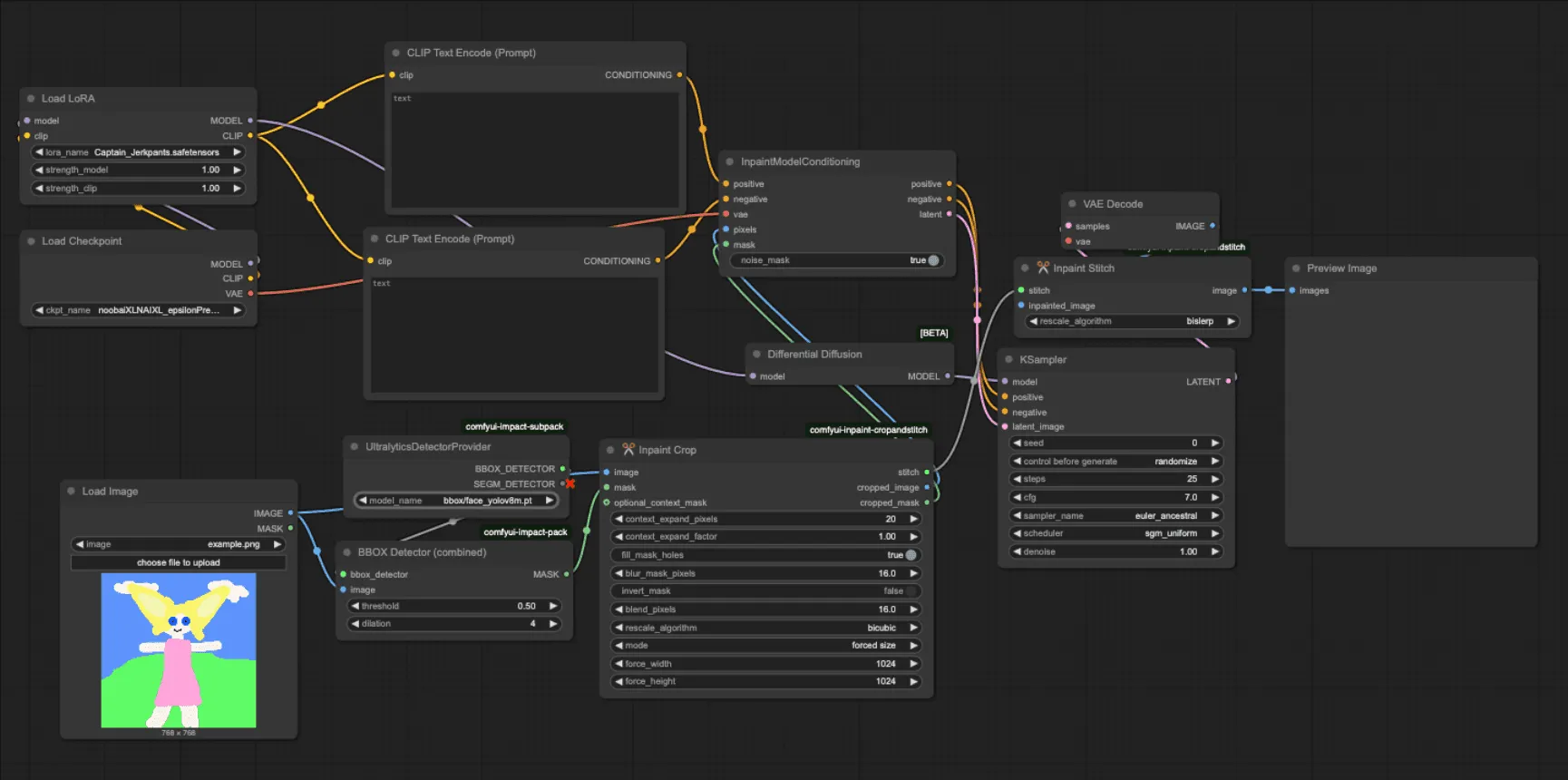
ComfyUI is amazing for experts, but confusing for everyone else.
The learning curve is steep, and installs are fragile because of custom nodes, Python dependencies, and model paths. Sharing PNG or JSON workflows still means recreating an identical environment, so results often work on your machine but not for teammates. And everything funnels through a single local GPU and queue, slowing reviews and delivery.
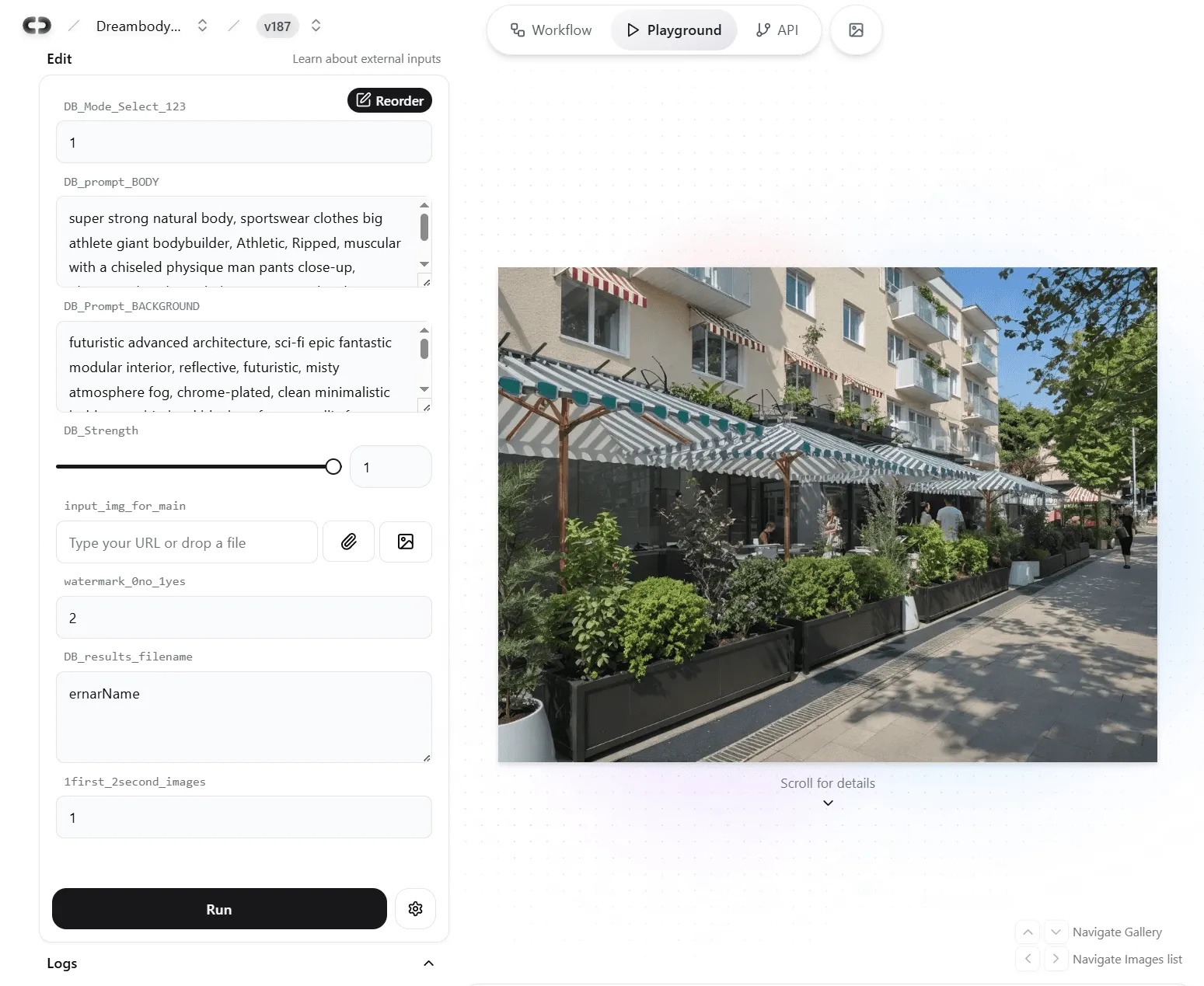
Your workflow becomes a simple AI web app anyone can use.
Share a link and everyone runs the same versioned workspace for consistent results. Inputs and outputs appear as clear fields, with roles, logs, and guardrails for reliability. Cloud GPUs run jobs in parallel, and you can promote the workflow to a production API in one click.
Instant launch and sharing
Turn any ComfyUI graph into a simple app your team can run immediately.
Auto-generated UI
Tagged inputs become sliders, text fields, dropdowns, and file uploads.
One-click publish
Create a share page with a unique URL. No local ComfyUI needed to test.
Autoscale in seconds
On-demand scaling, parallel runs, per-second billing. Scale to zero when idle.
Presets and locking
Expose only approved controls and lock advanced parameters for consistent results.
Built-in teamwork
Share, edit, and run together without breaking anything.
Staging → Production
Test safely in staging, then promote to production without interrupting live runs.
Roles and access
Invite creators and limited-access Playground users, with editor rights kept scoped.
Shared workspace
Everyone uses the same pinned nodes, models, and environment for reproducible results.
Version history and rollback
Track every change and roll back to a previous version in one click.
Visibility and control at scale
See usage, ship safely, and autoscale GPUs.
Usage analytics
Track run counts, popular parameters, and per-user activity, and tie GPU seconds to cost.
A/B and staging
Spin up dev, staging, or A/B branches without touching production.
Auto-scaling GPUs
Choose A100, H100, or default. Scale up on demand, then back to zero when idle.
Rollback triggers
Schedule updates and auto-revert if health checks fail.
Enterprise-grade security
Protect your workflows, models, and data.
Compliance-ready roadmap
Designed with SOC 2, GDPR, and data residency needs in mind. Confirm current status with our team.
Private by default
Models and files stay in your workspace unless you choose to share them.
Secure cloud execution
All data is encrypted in transit, and storage is isolated per tenant.
SSO and MFA options
Integrate with your identity provider to enforce secure access.
How it works
From local workflow to team collaboration
1Choose or create your ComfyUI setup
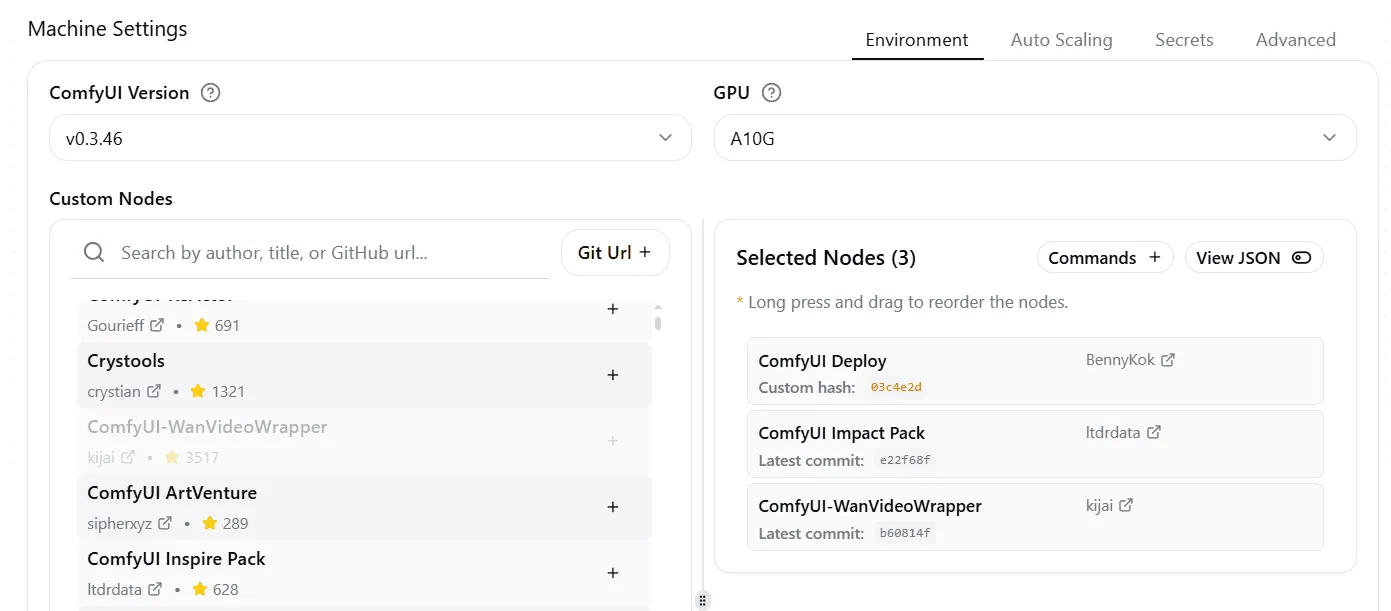
Select custom nodes
Pick a ComfyUI version, then add custom nodes from the community list or any Git URL. Every dependency is version-locked, so your team gets a reproducible runtime.
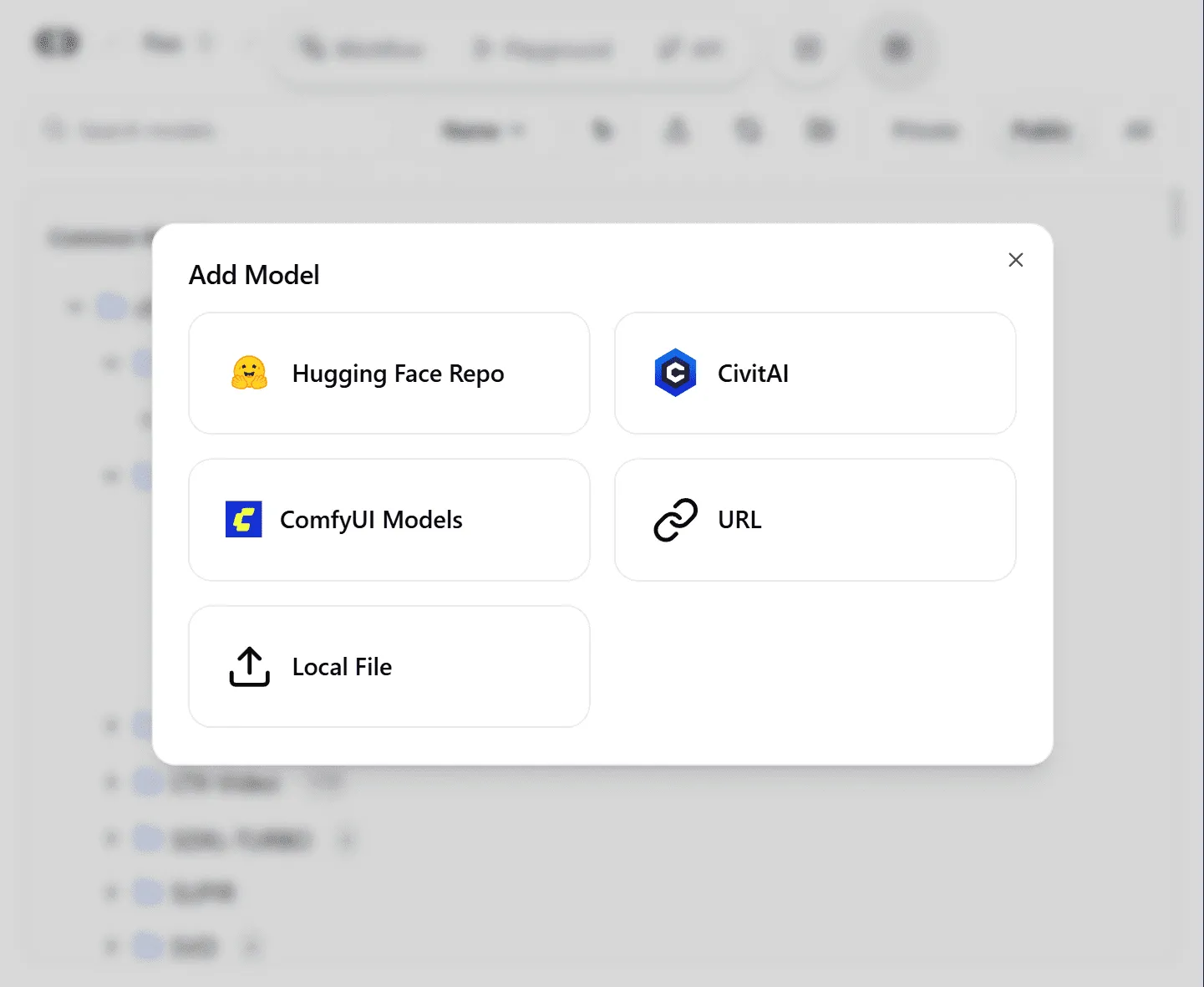
Upload your assets
Upload models, LoRAs, and files to a shared team workspace. Sync straight from Hugging Face, Civitai, a URL, or your local machine.
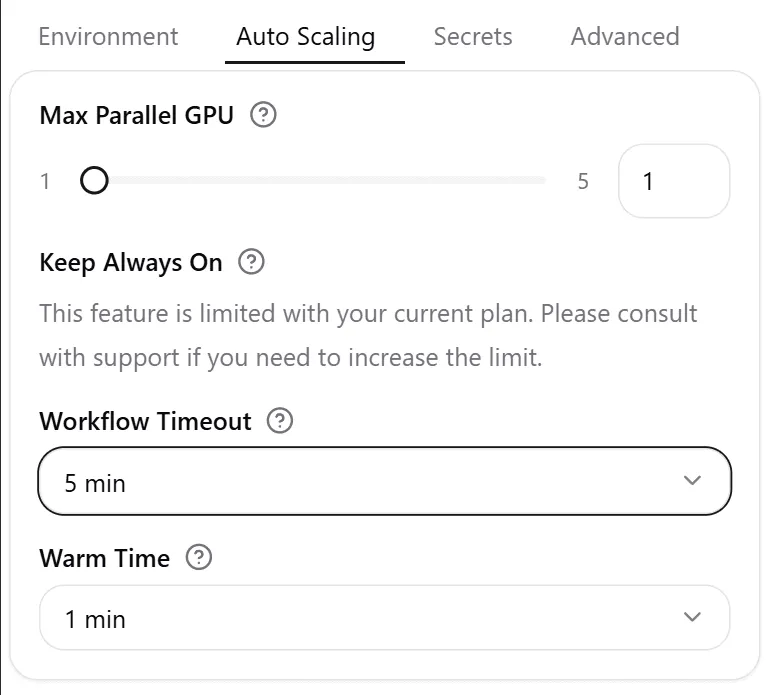
Select a GPU and deploy
Choose a dedicated GPU like an A100 or H100, or enable auto-scaling. Set workflow timeout, warm time, and max parallel GPUs, then launch.
2Create or upload your workflow
Start fresh in ComfyDeploy
- Instant launch. A new ComfyUI environment, ready in your browser.
- Full node access. The complete editor with any custom nodes you need.
- Pro hardware. Build on A100 and H100 GPUs from day one.
Migrate your existing ComfyUI workflow
- Quick integration. Add ComfyDeploy nodes to your local ComfyUI.
- One-click deploy. Push workflows straight to our cloud platform.
- Perfect replication. Models, nodes, and settings transfer intact.
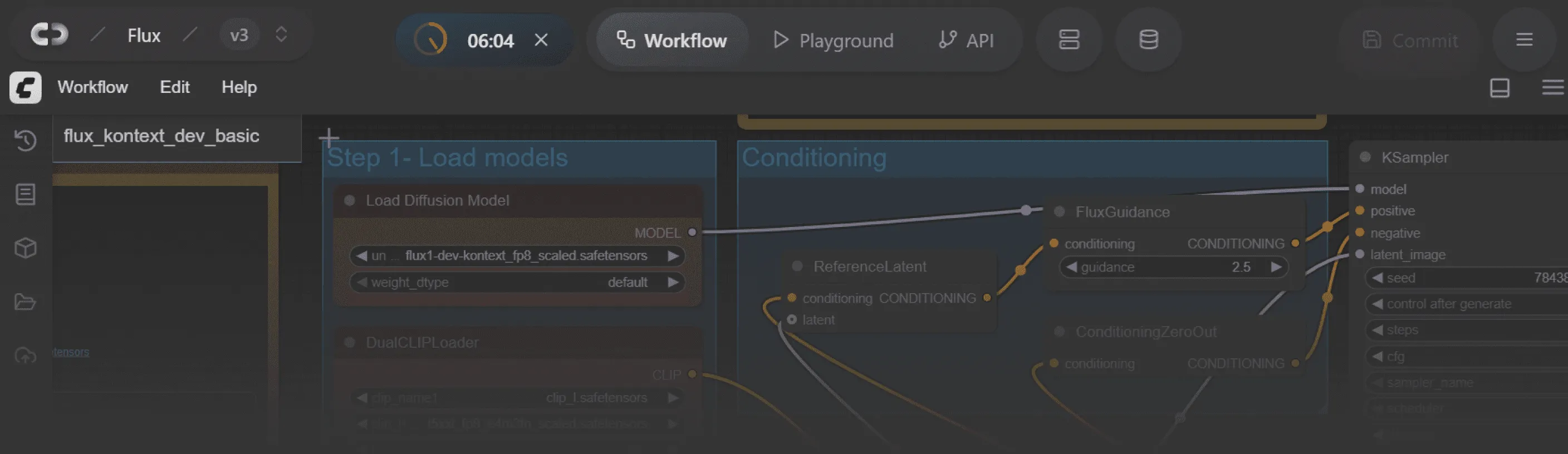
3Share the link for instant team access
For ComfyUI experts
Online ComfyUI workspace
Send the workspace link. Teammates open the identical ComfyUI editor with models and nodes preloaded, with zero local setup. Every run is logged with inputs, outputs, latency, and cost for later review.
For designers, PMs and clients
Simplified ComfyUI Playground
A simple form with sliders and inputs, built for non-technical users. Each ComfyUI input becomes the right control (slider, text box, dropdown, file upload), so anyone can run the workflow without touching nodes.
No queues, no waiting: parallel generations
Each session gets a dedicated GPU instance, so cloud generation runs in parallel. ComfyUI experts tweak advanced nodes while designers fire prompts at the same time, all within the same version-controlled workflow.
Frequently asked questions
What is the Playground, and when should I use it instead of the Workspace?
The Playground auto-builds a simple UI from a ComfyUI workflow’s inputs, so PMs and designers can run it without touching nodes. Use the Workspace for building and the Playground for using.
How does the UI get generated from my ComfyUI graph?
Inputs are detected and turned into typed controls: text, numbers, images, dropdowns, and toggles.
Can I expose only safe parameters and hide the rest?
Yes. Lock or hide advanced fields, set ranges and defaults, and publish a minimal set of controls.
How do I cap spend from Playground usage?
Per-user and org quotas plus warm settings keep cost predictable. Runs inherit the workspace template.
Can I turn a Playground into an API later without rebuilding?
Yes. Promote the same workflow and template to a production API endpoint.