
FLUX 3 Image Klein in ComfyUI: 5.6B Open Weights
Images: Black Forest Labs.
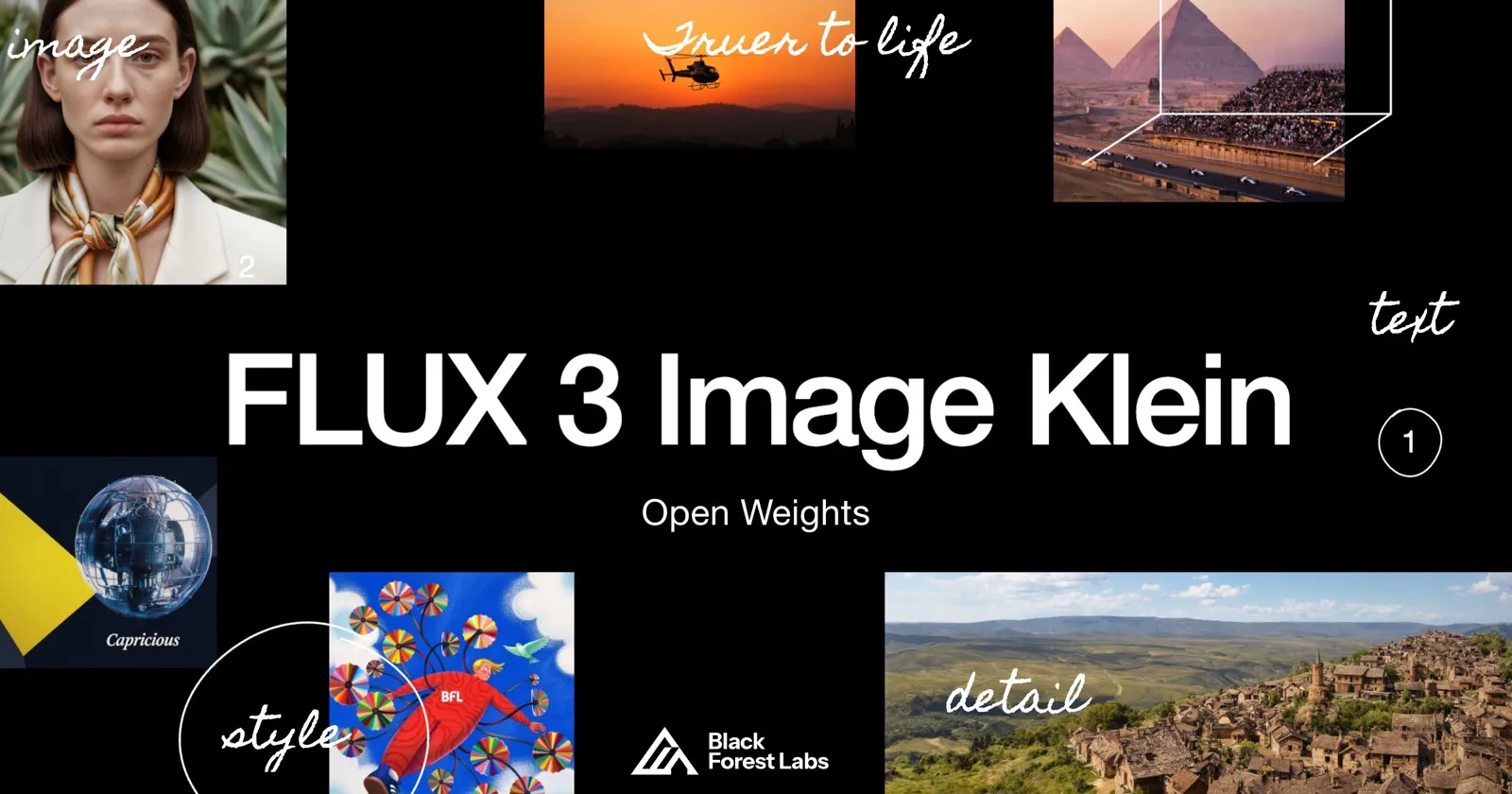
FLUX 3 Image Klein is the compact, open-weights model in the FLUX 3 family from Black Forest Labs. It has 5.6 billion parameters, and it runs natively in ComfyUI. Klein keeps the layout controls of the larger FLUX 3 Image model, including bounding boxes, in a size that fits much smaller GPUs.
What is FLUX 3 Image Klein?
According to the ComfyUI team, Klein draws on what Black Forest Labs learned across the image, video, and audio models in the FLUX 3 family. Black Forest Labs says the release includes:
- Base. The full undistilled checkpoint, intended for fine-tuning, further training, and research.
- Distilled. A step-distilled variant aimed at fast generation. In the ComfyUI repository on Hugging Face, base files carry a
-basesuffix and distilled files do not. - Quantized builds. FP8, INT8, and NVFP4 versions made with NVIDIA for smaller and faster inference.
You can read the full announcement on the ComfyUI blog.
The open weights are released under the FLUX Kommunity License, according to Black Forest Labs’ blog and the Hugging Face model card. Black Forest Labs sells self-hosting and commercial licenses on its open weights page. VentureBeat reports that companies under $5M in annual revenue can use the model commercially for free. Read the license text yourself before you ship outputs or a product built on the model.
Key features
The ComfyUI announcement lists these capabilities:
- Native 4K output. Images are generated at 4K, not upscaled to it.
- Prompt upsampler. A separate model expands a short prompt into a detailed one before generation.
- Multi-reference generation and editing. You can feed the model several reference images, and subjects stay recognizable across edits and inputs.
- Bounding boxes. You mark regions on the canvas to set composition and layout before the model fills them in.
- Text rendering and editing. The model writes text into an image and edits text that is already there.
- Reference-based style transfer. It takes the look of a reference while keeping the content and composition you asked for.

FLUX 3 Image Klein ComfyUI workflow

Try this workflow
FLUX 3 Image Klein text to image
- Model
- FLUX 3 Image Klein distilled (INT8), Qwen3-VL 4B text encoder (INT8), Qwen3.5 9B prompt upsampler (W4A8), FLUX.2 VAE
- GPU
- L40S (48 GB) suggested
The card above uses the official ComfyUI text-to-image template for the distilled model. It wraps the graph in a single subgraph node: the prompt upsampler rewrites your prompt, the text encoder and the INT8 distilled checkpoint generate a 1024x1024 image, and the FLUX.2 VAE decodes it. A separate bounding box node lets you lay out regions and feed them into the prompt.
To run it on ComfyDeploy:
- Click Run on ComfyDeploy. The ComfyDeploy import screen opens with this workflow already loaded.
- Pick a GPU for the machine and check that the four model files listed on the card are available to it.
- Write your prompt and run.
To run it locally:
- Update ComfyUI to the latest version.
- Click Download JSON and drag the file onto the ComfyUI canvas.
- Download the model files from the
black-forest-labs/flux-3-image-klein-comfyrepository on Hugging Face. The repository is gated, so accept the license there first. The note inside the workflow lists which folder each file goes in. - Write your prompt and run.
For a graph you build yourself, start from the Flux text-to-image workflow to see how a native Flux graph is wired, then swap in the Klein loaders and nodes from the template. Browse more graphs in the Flux workflows collection.
Speed on consumer GPUs
Black Forest Labs published timings for the base model at 50 steps. For 1024x1024 text-to-image with the INT8 build, it reports 12.5 seconds per image on an RTX 5090 and 34.0 seconds on an RTX 5070.
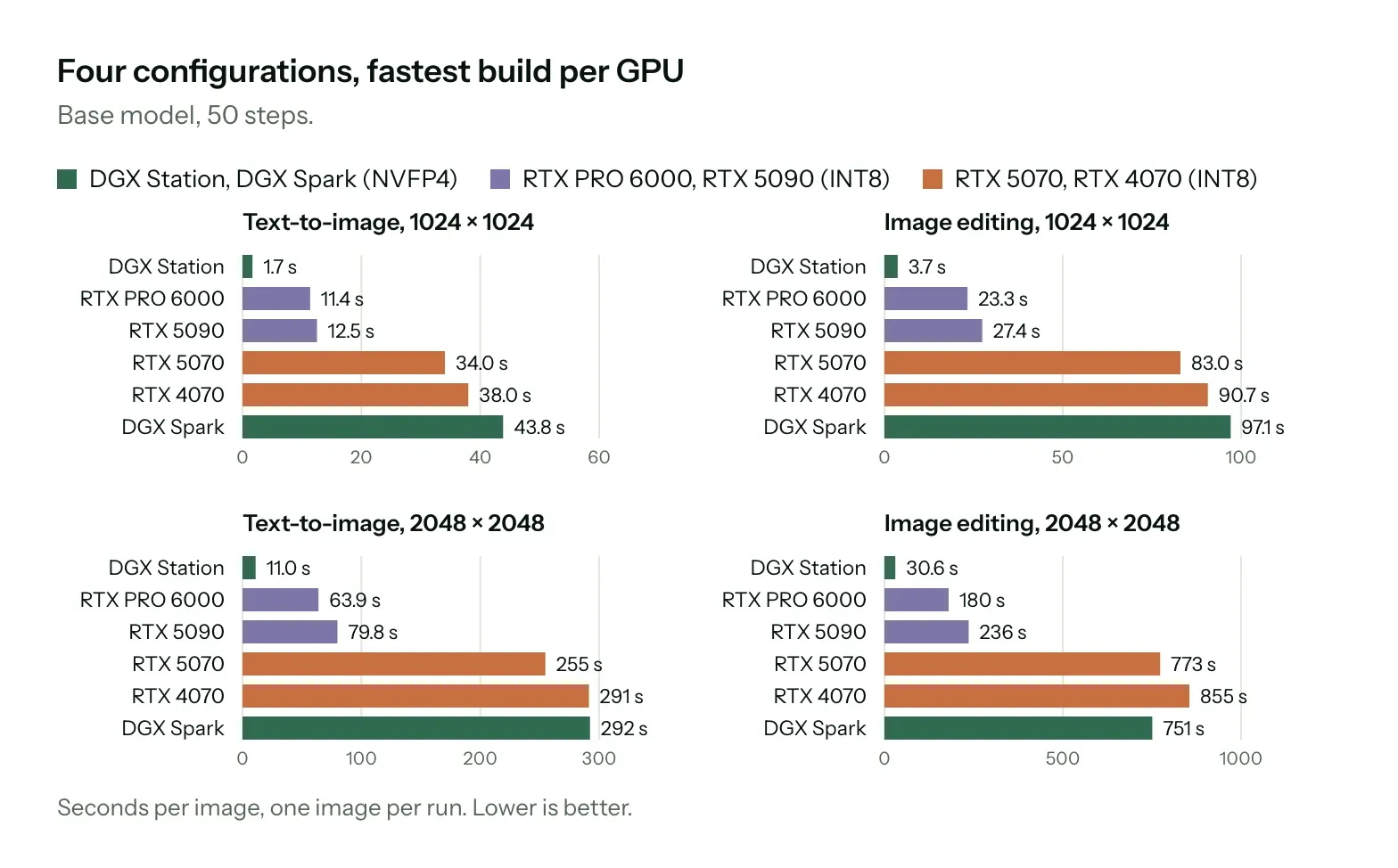
The distilled model needs far fewer steps. ComfyUI reports that pairing INT8 ConvRot quantization with the step-distilled Klein model makes 1024x1024 text-to-image generation 4.3x to 9.3x faster than a BF16, 50-step baseline. According to ComfyUI, an image that took 71 seconds on an RTX 5070 now takes under 8, and on an RTX 4070 the time drops from 78 seconds to under 9. These are vendor-reported figures, so measure your own graph before you plan capacity around them.
FLUX 3 Image Klein vs Qwen-Image 2.1
Both models are open-weight and aimed at generation plus reference-based editing, so they are natural rivals. In Black Forest Labs’ internal evaluations, FLUX 3 Image Klein ranks first among the compared models in text-to-image, multi-reference generation, and image editing. ComfyUI’s summary of those evaluations places it above Qwen-Image 2.1 in text-to-image and multi-reference generation. Black Forest Labs also reports gains of 91 Elo in text-to-image and 70 Elo in editing over FLUX.2 [klein] 9B. Treat these as a starting point and not a verdict, since the evaluations are not independent.
The practical differences from the published specs:
- Size. FLUX 3 Image Klein is 5.6B parameters. Qwen-Image 2.1 is 7B, and Krea 2 is 12.9B.
- Layout control. FLUX 3 Image Klein supports bounding boxes for placing elements.
- Transparency. Qwen-Image 2.1 outputs a real alpha channel, which the FLUX 3 Image Klein announcement does not mention. Choose Qwen-Image 2.1 if you need cutouts.
- Fine-tuning. FLUX 3 Image Klein ships an undistilled base checkpoint for training.
If you rely on LoRAs trained for earlier Flux or Qwen releases, expect to retrain, because they were built for different architectures.
How to run FLUX 3 Image Klein in the cloud
The model files in the distilled template add up to about 18 GB: 5.8 GB for the INT8 checkpoint, 4.9 GB for the text encoder, 6.7 GB for the prompt upsampler, and a small VAE. A 24 GB card such as an L4 or A10G may run it, since ComfyUI can unload the upsampler after it finishes, but that leaves little headroom. We suggest an L40S (48 GB) as a starting point. It keeps all models loaded, leaves room for higher resolutions and reference images, and fits the 11.1 GB BF16 checkpoint that the template recommends for cards with more than 24 GB. For the base model, 4K output, or many references, an A100 or H100 gives more room. This is a suggestion based on file sizes. We have not benchmarked Klein ourselves.
Run it on ComfyDeploy
ComfyDeploy runs ComfyUI workflows on cloud GPUs, so you do not manage drivers, model downloads, or idle machines.
- Import the Klein template with the card above.
- Test it in the ComfyUI playground, and share it as a link if you want others to try it.
- Deploy it as an endpoint through the ComfyUI API so your app can send a prompt and reference images and get the image back.
Teams that generate product shots, posters with embedded text, or consistent characters can batch these requests across GPUs and pay for the time they use.