
Qwen Image Edit: Semantic Image Editing in ComfyUI
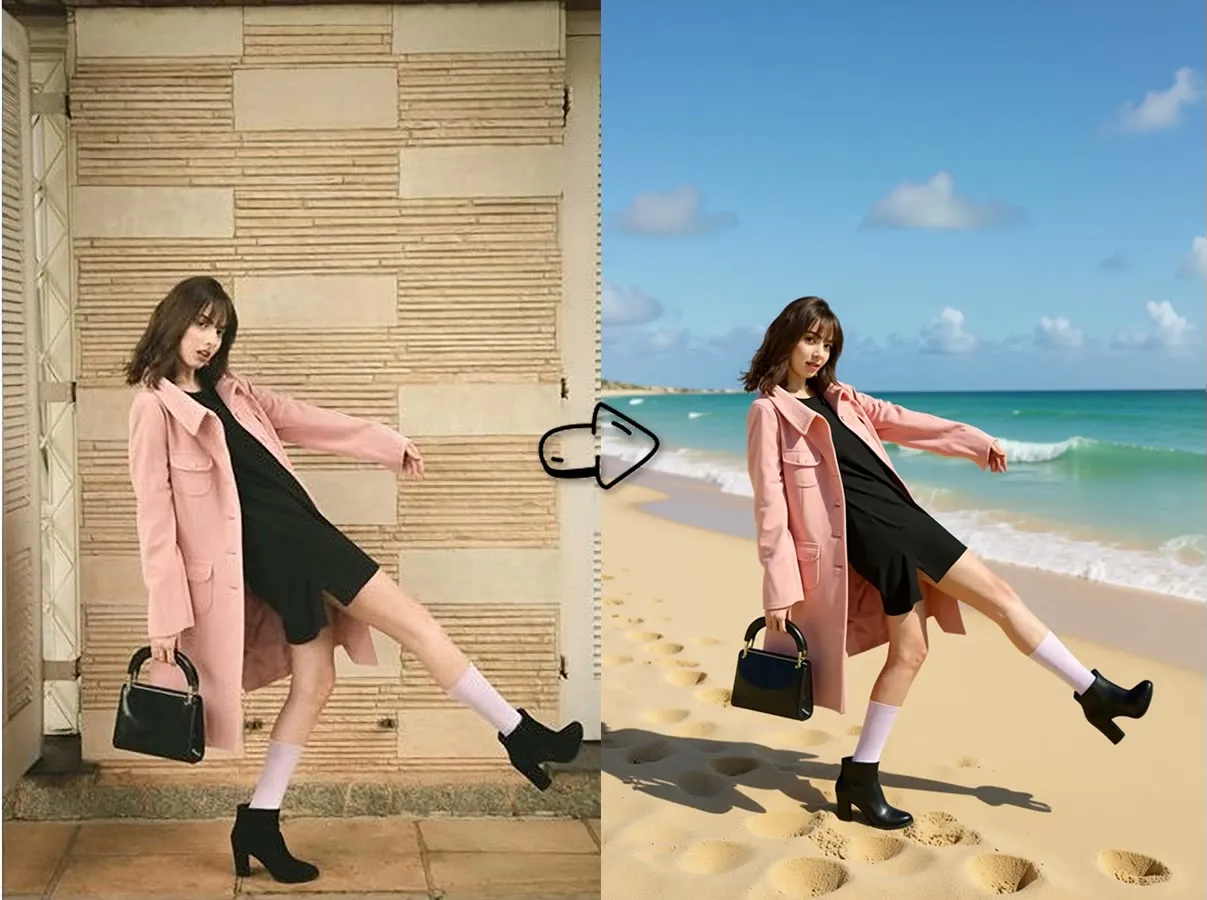
Qwen Image Edit lets you change an image by describing the edit in text. It handles background replacement, style transfer, object rotation, and bilingual text editing, and it runs in ComfyUI.
What is Qwen Image Edit?
Qwen-Image-Edit is the image editing version of the Qwen-Image model. It is built on a 20 billion parameter foundation and lets you edit images with simple text descriptions instead of manual tools.
It uses two inputs to balance precision and creativity. Qwen2.5-VL provides visual understanding, and a VAE encoder provides appearance control. Together they support precise edits and larger transformations while keeping image quality. The Qwen team explains the model in the official blog post.
Key features of Qwen Image Edit
- Semantic and appearance editing. The model supports low-level appearance edits, such as changing one element precisely, and high-level semantic edits, such as style transfer and object rotation, while keeping the image consistent.
- Precise text editing. You can add, delete, or modify text in Chinese and English while preserving the original font, size, and style.
- Strong benchmark performance. Qwen reports state-of-the-art results on several public benchmarks, which makes it a solid foundation model for image editing.
Qwen Image Edit ComfyUI workflow
These two workflows run Qwen Image Edit in ComfyUI. Open either one to see the nodes, run it, or fork it into your own project.
Qwen-Image Edit Fast

The Qwen-Image Edit Fast workflow edits images with semantic text. It works well for background replacement and for editing or creating characters and other IP.
Qwen-Edit Dual

The Qwen-Edit Dual workflow is experimental. It uses two images to control the edit and works well in some use cases.
Qwen Image Edit vs FLUX.1 Kontext Dev
FLUX.1 Kontext Dev is the other widely used open image editing model. The table summarizes how the two differ. For details on Black Forest Labs’ model, read our FLUX.1 Kontext Dev guide.
| Feature | Qwen Image Edit | FLUX.1 Kontext Dev |
|---|---|---|
| Model size | 20B parameters | 12B parameters (dev), plus Pro and Max variants |
| Editing approach | Semantic and appearance editing with VAE control | In-context generation with multimodal flow |
| Text editing | Bilingual (Chinese and English) with font preservation | Advanced typography generation |
| Speed | Standard inference time | Up to 8x faster than competing models, per Black Forest Labs |
| Iterative editing | Single-pass editing | Multi-turn editing with consistency |
| Character consistency | Strong identity preservation | Cross-scene character and style consistency |
Which model should you choose?
Choose Qwen Image Edit for precise control. It fits professional workflows that need exact element changes, bilingual text editing, and detailed control over image elements. Graphic designers, content creators, and businesses that need accurate edits will get the most from it.
Choose FLUX.1 Kontext Dev for rapid iteration. It suits creative experimentation where you want quick results and multi-turn edits. Artists, developers, and creative teams who work in iterative loops will benefit most.
Both models have different strengths, so it is worth running the same prompt through each to see which fits your workflow.