Qwen-Image Outpaint (Native)
Upload an image, choose how far to extend each side, and Qwen-Image fills the new area to match the scene. Useful for widening crops and changing aspect ratios.
- L40S
- Inpaint & outpaint
- Image editing
- Free template
How it works
The graph is 18 native ComfyUI nodes.
LoadImage brings in the picture, ImageScaleToTotalPixels and ImageScaleToMaxDimension size it, and ImagePadForOutpaint adds empty space around it and produces the mask for the new region. The main model is qwen_image_fp8_e4m3fn.safetensors, loaded with UNETLoader, with qwen_2.5_vl_7b_fp8_scaled.safetensors as the text encoder and qwen_image_vae.safetensors as the VAE. A LoraLoaderModelOnly applies Qwen-Image-Lightning-8steps-V1.1-bf16, which lets the sampler use few steps.
The Qwen-Image-InstantX-ControlNet-Inpainting model is loaded with ControlNetLoader and applied by ControlNetInpaintingAliMamaApply, which uses the padded image and mask to guide the fill. ModelSamplingAuraFlow, KSampler and VAEDecode finish the job, and SaveImage stores the result.
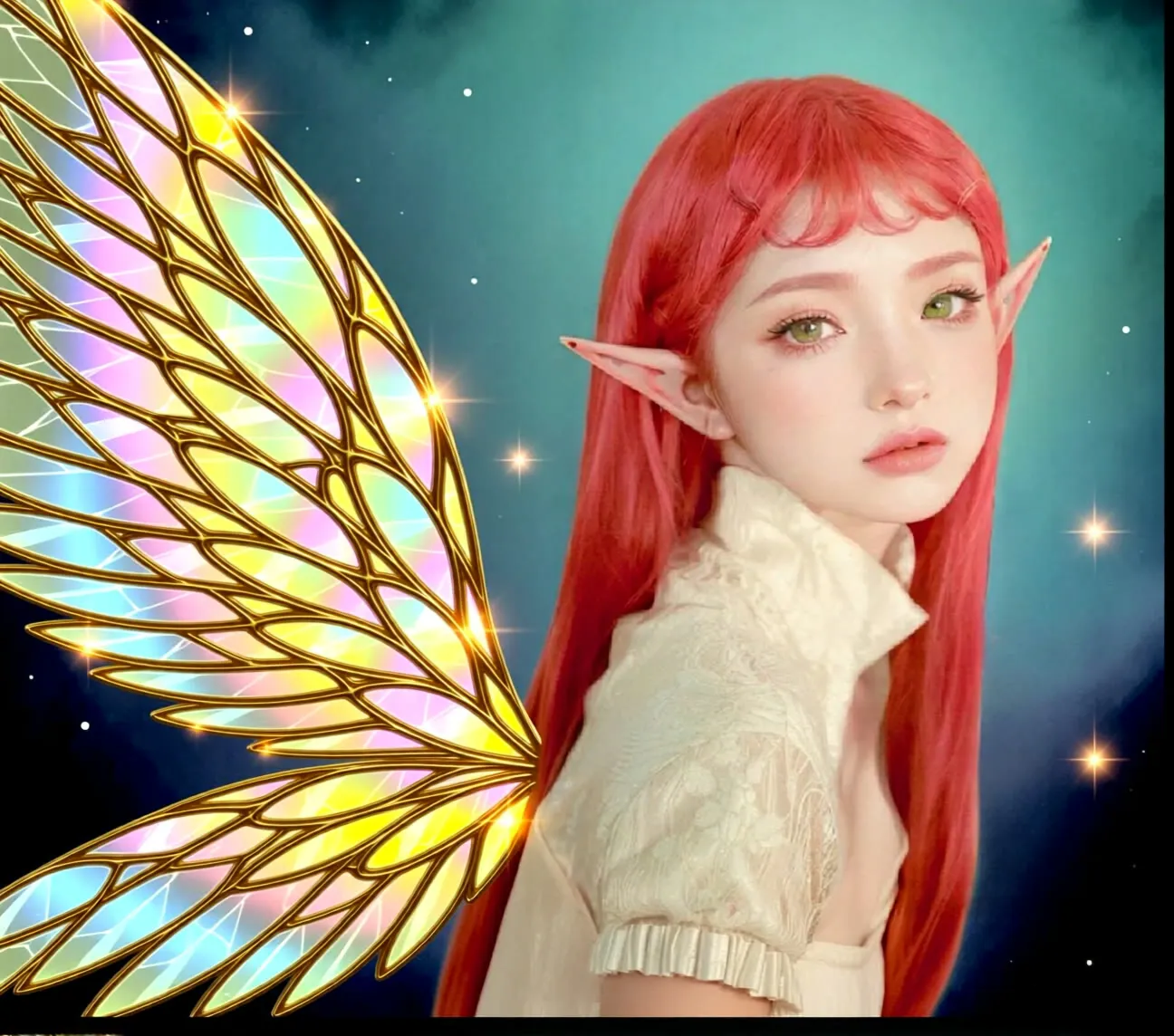
The example prompt describes translucent crystalline angel wings spread across the canvas, so the prompt can add content to the new area, not only extend the background.
Tips
- Describe what should appear in the new area, not the whole picture.
- Extend in moderate steps. Large padding in one pass gives the model less context.
- Keep the Lightning LoRA for fast runs. Remove it and raise the step count if you want to test full-step quality.
- The mask editor note applies if you want to repaint a region inside the image.
What you can use it for
- Widening a vertical photo to landscape
- Extending a background for banners or thumbnails
- Adding new elements into the extended area through the prompt
- Fixing tight crops
Run it in three steps
Open the template
Click Run on ComfyDeploy. The workflow, its custom nodes and models are set up for you on a cloud machine.
Add your inputs
Provide source image and text prompt for the new area in the playground or the ComfyUI editor.
Run, share or deploy
Run it on an L40S, share it with your team as a playground, or deploy it as an API endpoint.
Frequently asked questions
What GPU does the Qwen-Image outpaint workflow need?
The recommended GPU is an L40S. It loads qwen_image_fp8_e4m3fn with the 7B Qwen2.5-VL text encoder.
Does it work for inpainting too?
The graph includes a note on painting a mask with the MaskEditor, and uses the InstantX inpainting ControlNet, so a masked area can be filled as well as an extended border. Outpainting is the setup the template is built for.
How do I run the Qwen-Image outpaint workflow as an API?
Deploy it on ComfyDeploy and call the endpoint with the source image and a prompt. The generated output is returned from the API response.