Chroma Text-to-Image (v35 Detail Calibrated)
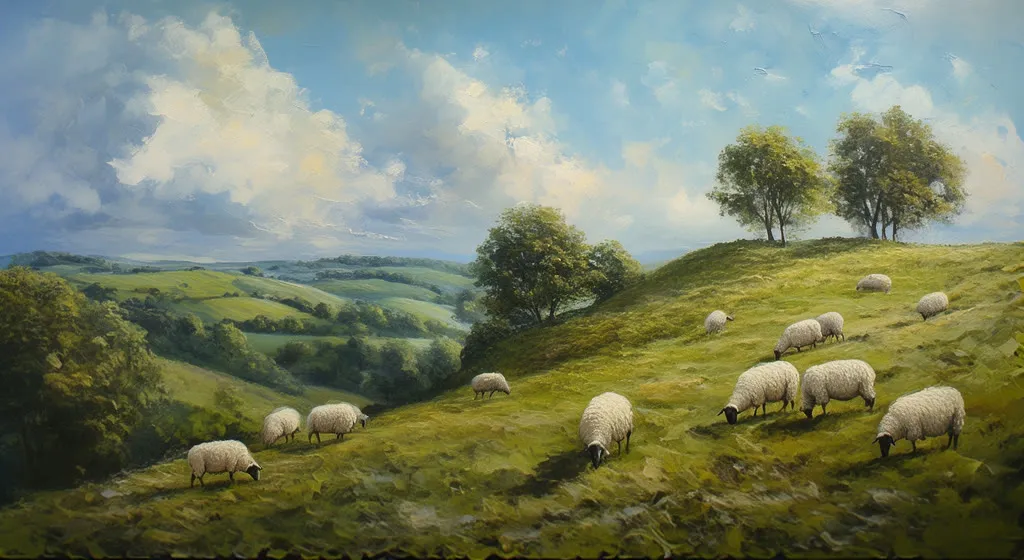
A compact Chroma text-to-image graph using the v35 detail-calibrated checkpoint. Chroma is popular for its wide range of styles, from painting to photo.
- L40S
- Text to image
- Free template
How it works
The graph is 12 nodes of native ComfyUI. A UNETLoader loads chroma-unlocked-v35-detail-calibrated.safetensors, a CLIPLoader loads t5xxl_fp8_e4m3fn_scaled.safetensors as the text encoder, and a VAELoader provides ae.safetensors.
Chroma uses only a T5 encoder, so a T5TokenizerOptions node adjusts how the prompt is tokenized. Two CLIPTextEncode nodes hold the positive and negative prompts, and the example negative lists low quality, bad anatomy and extra or missing digits and limbs.
An FreSca node adjusts frequency scaling on the guidance before sampling, EmptySD3LatentImage creates the canvas, and KSampler produces the latent. VAEDecode and SaveImage finish the job.
Tips
- Start the positive prompt with an aesthetic tag such as aesthetic 9, as in the example, then write a descriptive scene.
- Keep the negative prompt from the example and add terms for styles you want to avoid.
- Change the seed and keep the prompt to explore variations.
- The FreSca node is an optional tweak. Bypass it to compare results with and without it.
Run it as an API
You can deploy this workflow on ComfyDeploy as a hosted API endpoint. The inputs listed above become the request fields, so your own app can submit them and receive the finished result without running ComfyUI yourself. The same workflow can also be run and shared from the ComfyDeploy playground in your browser.
What you can use it for
- Painterly landscapes and illustrations
- Exploring many styles from one model
- Concept art with detailed prompts
- A base graph for Chroma experiments
Run it in three steps
Open the template
Click Run on ComfyDeploy. The workflow, its custom nodes and models are set up for you on a cloud machine.
Add your inputs
Provide text prompt and negative prompt in the playground or the ComfyUI editor.
Run, share or deploy
Run it on an L40S, share it with your team as a playground, or deploy it as an API endpoint.
Frequently asked questions
What GPU does this Chroma workflow need?
It is set to an L40S on ComfyDeploy.
Which Chroma version is it?
chroma-unlocked-v35-detail-calibrated.safetensors, with the t5xxl_fp8_e4m3fn_scaled text encoder and the ae VAE.
How should I prompt Chroma?
The example prompt starts with an aesthetic score tag, aesthetic 9, followed by a natural-language description. The negative prompt lists common faults like bad anatomy.